33 34
4.2 Answer or decline a call
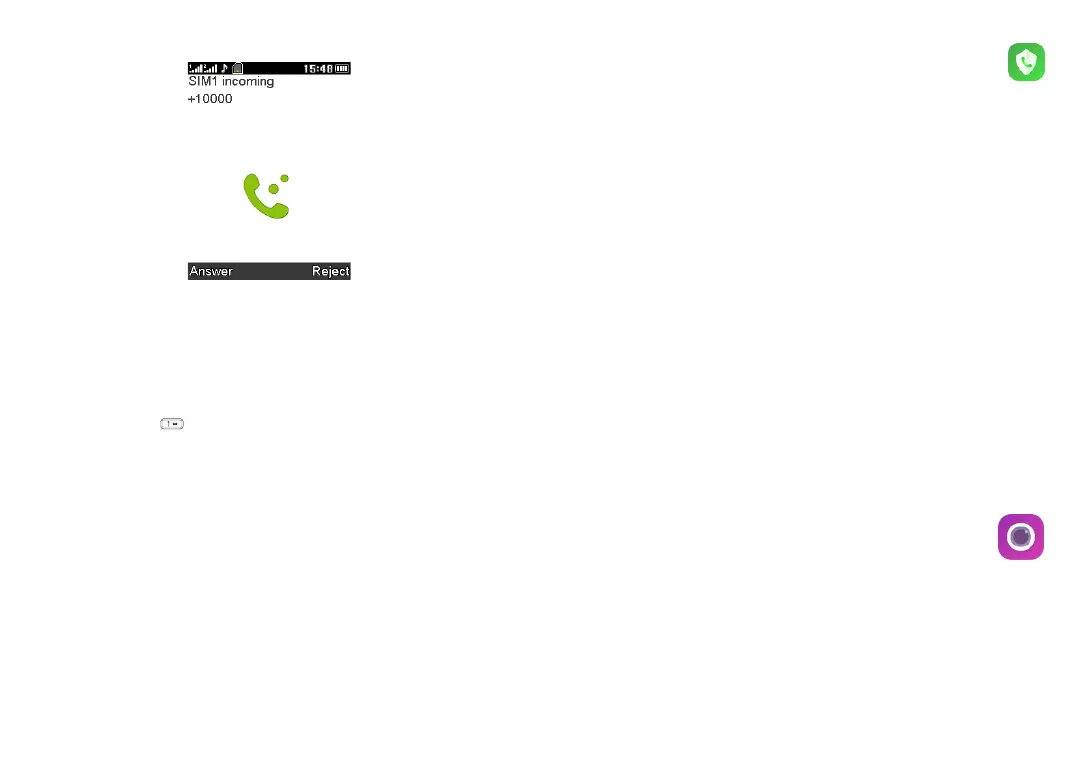
When you receive a call:
• Press the Left soft key or
Call key
to answer.
• Press the Right soft key or End key to decline.
4.3 Accessing voicemail
(1)
• Press and hold to call voicemail.
• Follow the prompts to set up your voicemail account.
(1)
Contact your network operator to check service availability.
5
Call filter .............................
You can set your blacklist in this menu.
Blacklist
You can add numbers to the blacklist by using the following ways:
1. From Blacklist > Blacklist numbers
Press Left soft key to select Edit, then input the numbers
- When finished, press Left soft key to select Options > Done
You can add up to 20 blacklist numbers.
Settings
Enable/disable the call function for contacts on your blacklist.
6
Camera ..............................
Your mobile phone is equipped with a camera for taking photos and
shooting videos.
6.1 Camera
To access this function, press the
Centre soft key
from the Home



 To Next Page