49 50
includes this service.
• Make sure this feature does not require an Alcatel accessory.
When I select a number from my contacts, the number can't be
dialled
• Make sure that you have correctly recorded the number in your file.
• Make sure that you have selected the country prefix when calling a
foreign country.
I am unable to add a contact to my contacts
• Make sure that your SIM card contacts are not full; delete some
files or save the files in the phone contacts.
My callers are unable to leave messages on my voicemail
• Contact your network operator to check service availability.
I can't access my voicemail
• Make sure your operator’s voicemail number is correctly entered.
• Try later if the network is busy.
SIM card PIN locked
• Contact your network operator to obtain the PUK code (Personal
Unblocking Key).
The phone can't be detected by others via Bluetooth
• Make sure that Bluetooth is turned on and your phone is visible
to other users.
• Make sure that the two phones are within Bluetooth’s detection
range.
14
Specifications ......................
Processor ARM7+, 260MHz
Platform MTK6261D
Memory 4MB ROM + 4MB RAM
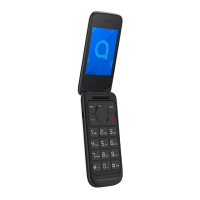
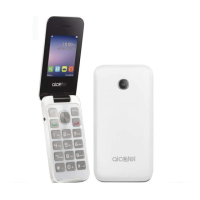
Dimensions (LxWxT) 103x50.4x16.9 mm
Weight 89g
Display 2.4 inch main LCD screen
Network GSM 850/900/1800/1900
(Band frequency and data speed are
operator dependent.)
(1)
Connectivity • Bluetooth 3.0
• 3.5 mm audio jack
• micro-USB
Camera • 0.3M by default
Audio & Video
supported formats
Audio: MID, AMR, MP3(optional)
Video: 3GP, MP4 (optional)
Battery
(1)
Capacity: 970 mAh



 To Next Page