Programming your telephone
26
7
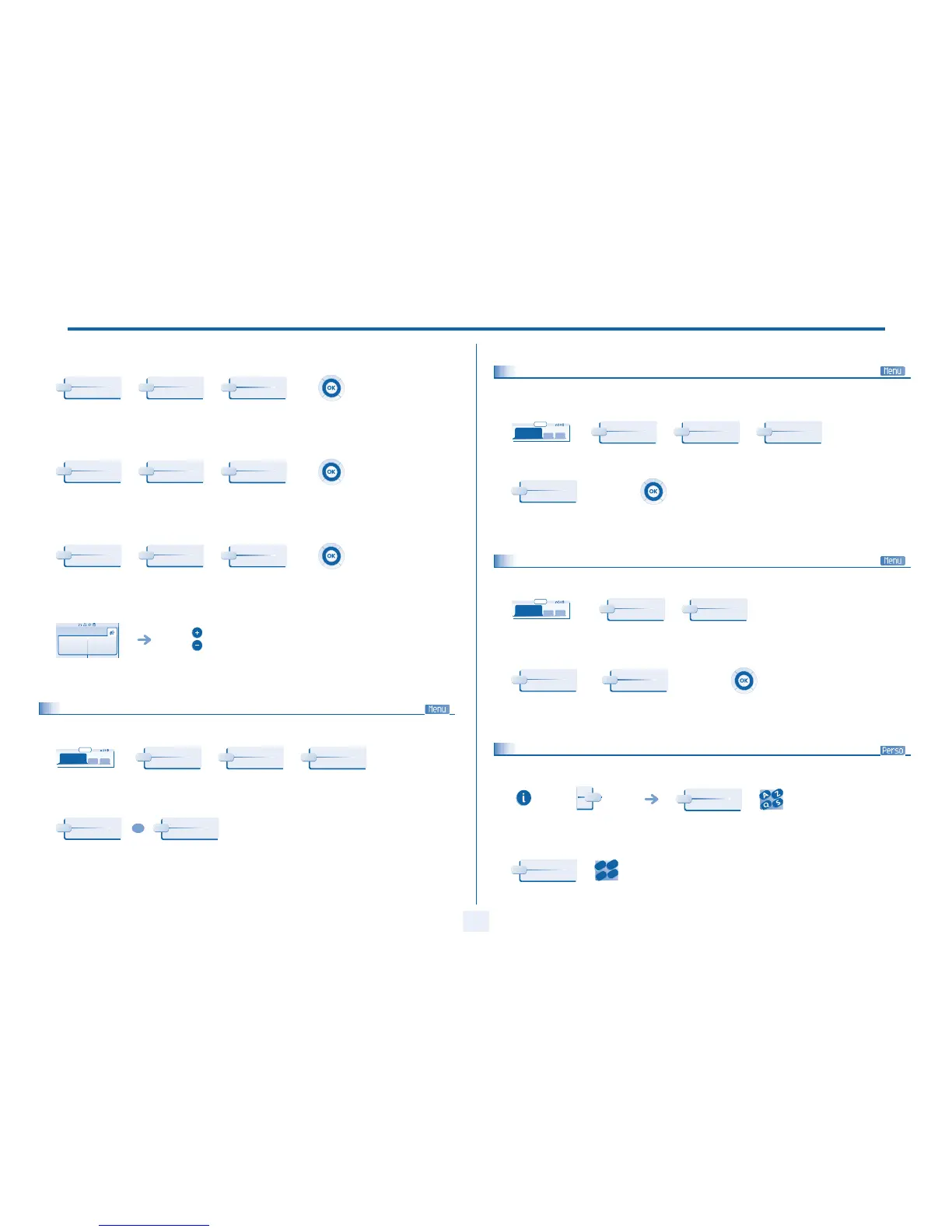
T Activate/deactivate silent mode:
T Activate/disable meeting mode (progressive ringing):
T Activate/deactivate discreet ring mode:
T Adjust ringer volume while a call arrives:
7.5
Adjusting screen brightness
to activate to deactivate apply your choice
to activate to deactivate apply your choice
to activate to deactivate apply your choice
your telephone
rings
adjusting the ringer
volume
Silent
On
Off
Progress.
On
Off
Beeps
On
Off
Paul
is calling
reach the 'Menu'
page
increase or reduce the brightness of the
screen or keys (of the extension unit) by
pressing consecutively on the corresponding
keys
menu
10:30
Settings
My Phone
Contrast
Screen
OR
Keys
7.6
Selecting the welcome page
This function is used to choose the page displayed by default on the telephone.
7.7
Selecting language
7.8
Programming direct call keys (Perso page:)
select the default page
(consecutive presses)
apply your choice
menu
10:30
Settings
My options
Homepage
Choice
reach the 'Menu'
page
select the language of your
choice
apply your choice
menu
10:30
Settings
My options
Language
Choice
press a call key on the
Perso page
enter the name
enter the number
Name
Number
2
6
5
3
ab c
def
jkl
mn



 To Next Page