51
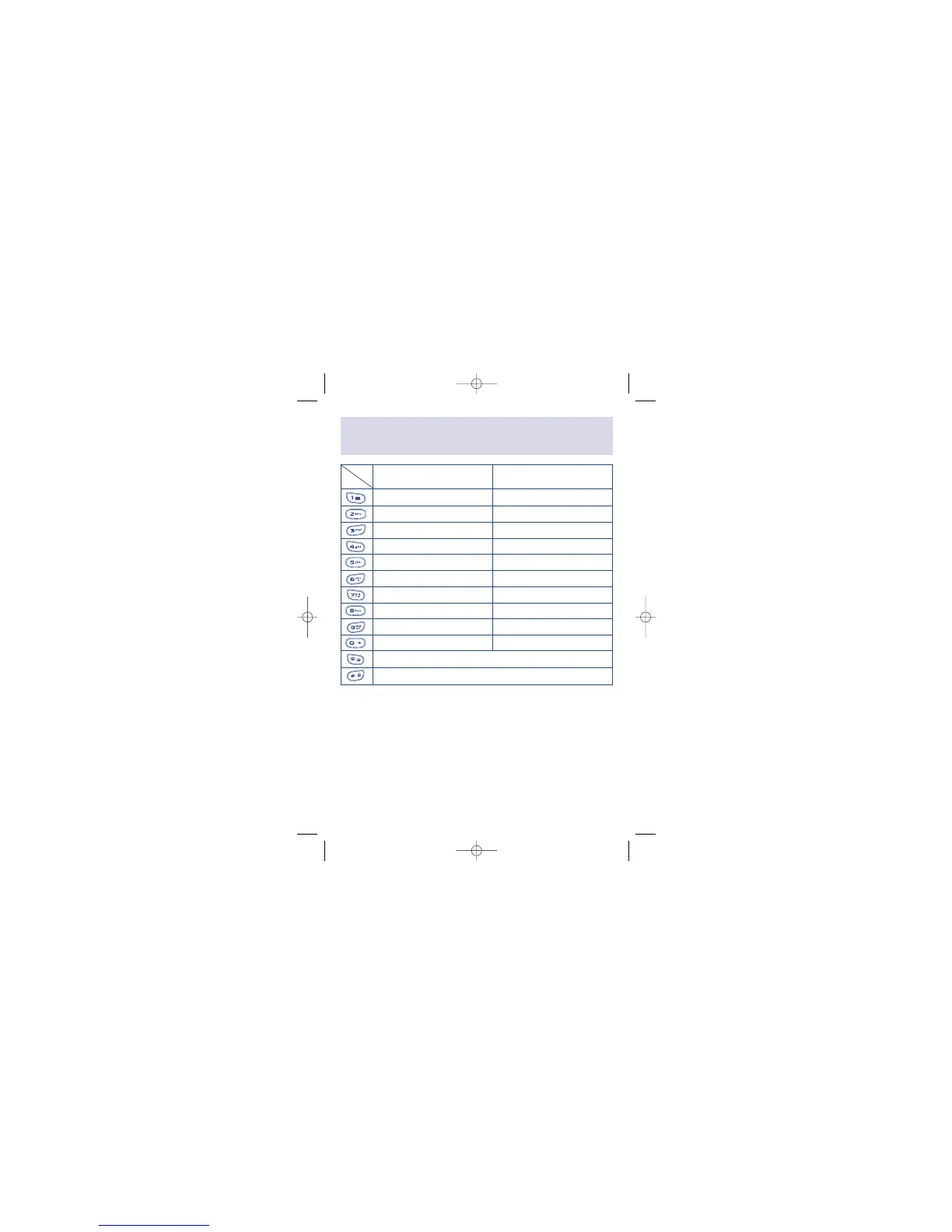
Characters and symbols
table
5
5
Length Upper case Lower case
Digit
space, (, ), 1 space, (, ), 1
A, B, C, 2, Ä, Å, Æ, Ç a, b, c, 2, ä, å, à, æ
D, E, F, 3, É d, e, f, 3, é, è
G, H, I, 4 g, h, i, 4, ì
J, K, L, 5 j, k, l, 5
M, N, O, 6, Ñ, Ö m, n, o, 6, ñ, ö, ò
P, Q, R, S, 7, ß p, q, r, s, 7, ß
T, U, V, 8, Ü t, u, v, 8, ü, ù
W, X, Y, Z, 9 w, x, y, z, 9
+, -, 0 +, -, 0
*, ., ,, :, ;, ‘, “, @, <, >, !
#, =, ?, §, &, %, /, $, ¥, £
1. To enter a word, press the key corresponding to the desired letter.
2. To switch between upper and lower case letters, simply press the key
with the desired character and hold it down until the letter appears in
lower case.
3. All further keys will remain in lower case until you press and hold a
letter key again, which will take you back to the upper case mode.



 To Next Page