56
Troubleshooting
7
7
Before contacting the after-sales service, we advise you to perform the
following checks for solutions to equipment problems:
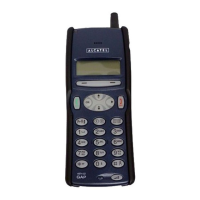
My mobile phone does not switch on
• Press the key for at least 3 seconds
• Check the battery charge level
• Check the battery contacts, remove and then reinstall your battery,
then turn your telephone back on
My screen is difficult to read
• Clean your screen
• Check the contrast
• Activate the backlighting
• Use your mobile phone in accordance with the recommended
conditions of use
My mobile phone turns off by itself
• Check that your keypad is locked when you are not using your mobile
phone
• Check the battery charge level
My mobile phone does not charge properly
• Make sure that your battery is not completely discharged; the battery
charge indicator can take several minutes to start flashing
• Make sure charging is performed under normal conditions (-10°C
+55°C)
• Make sure the battery is correctly inserted
• Make sure you are using an ALCATEL battery and charger
• When abroad, check that the electrical current compatibility


 To Next Page