21 22
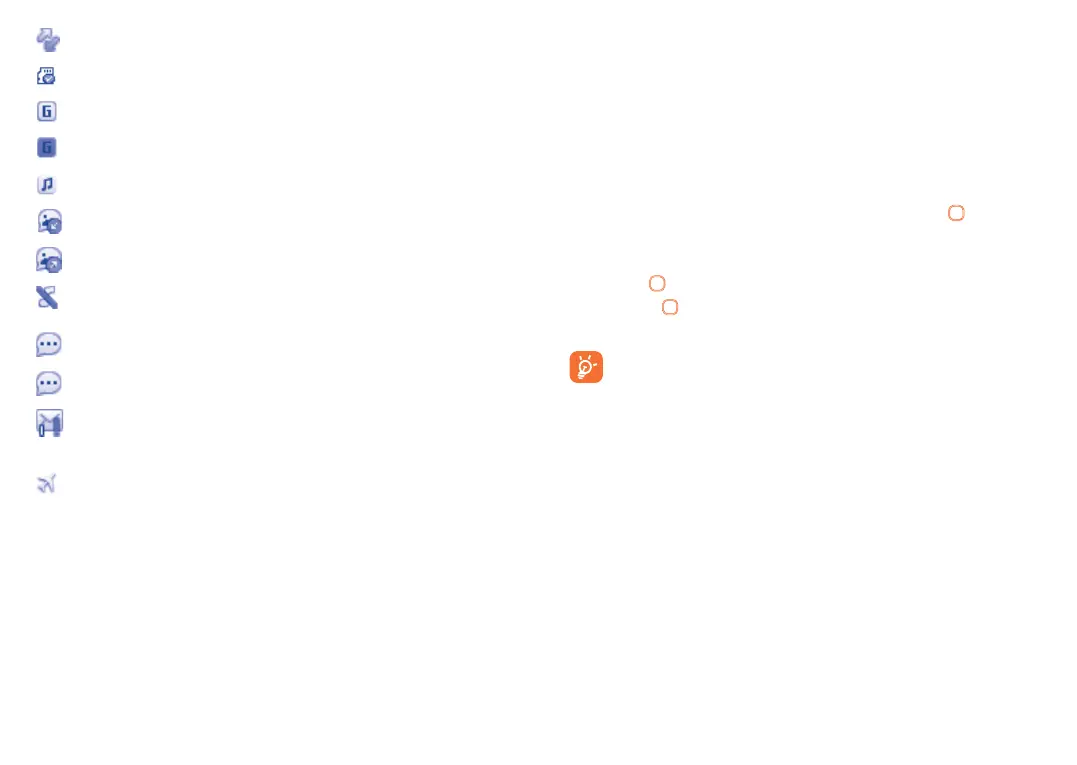
Roaming.
SD card scanning completed.
GPRS connection status (Activated).
GPRS connecting.
Music active.
MMS receipt in progress.
Sending a MMS.
Silence mode: your phone does not ring, beep or vibrate
with the exception of the alarm (see page 45).
SMS unread.
MMS unread.
(Flickering) Message list is full: your phone cannot
accept any new messages. You must access the message list
and delete at least one message on your SIM card.
Flight mode.
2.3 Home screen
2.3.1 Widget bar
Widgets are convenient shortcuts for quick access from the Home
screen.
You can customize widget bar by "Settings\Phone settings\Widget
bar".
To add/remove a widget, select "Edit widgets" and use
key to On/
Off, and then confirm by pressing "Save".
To reorder widgets, select "Reorder widgets" and choose one item
by pressing
key, scroll up or down to the required position, place
it by pressing key, and then confirm by selecting "Done" with Right
softkey.
You aren't allowed to add more than five widgets. Two widgets
cannot be removed: Messages, Calls.
2.3.2 Change wallpaper
You can select a folder to choose one image as favourite wallpaper by
selecting "Options\Set as\Wallpaper".










 To Next Page