1 2
Introduction ........................................
TCT Mobile Limited would like to thank you for purchasing this mobile
phone.
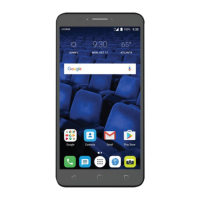
Home screen
• Convenient at-a-glance view of Widget applications
• Menu shortcuts for quick access
Power media applications
• Music & Radio
• Video
Bluetooth
With Bluetooth 3.0 supporting A2DP profiles, enjoy handsfree
conversations.
Apps
Apps store is an online software store, where you can download and
install applications and games to your phone.
Table of contents
1 Getting started ............................................................ 14
1.1 Set-up ...................................................................................................14
1.2 Power on your phone ......................................................................16
1.3 Power off your phone ......................................................................16
2 Your mobile .................................................................. 17
2.1 Keys.......................................................................................................18
2.2 Status bar icons ..................................................................................20
2.3 Home screen ......................................................................................22
3 Making a call ................................................................ 23
3.1 Placing a call ........................................................................................23
3.2 Calling your voicemail ......................................................................23
3.3 Receiving a call ...................................................................................24
3.4 During a call ........................................................................................24
3.5 Conference calls ...............................................................................25
4 Menu arrange ............................................................... 26
5 Messages ....................................................................... 27
5.1 Access ..................................................................................................27
5.2 Conversational On (Off) mode......................................................27
5.3 Write message ...................................................................................28
5.4 Available options ................................................................................28
6 Contacts ....................................................................... 31
6.1 Consulting your contacts ................................................................31
6.2 Adding a contact ................................................................................31
6.3 Available options ................................................................................32










 To Next Page