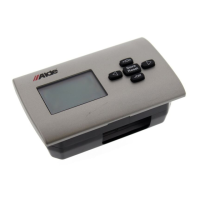
The control panel goes to standby automatically after
two minutes if no buttons are pressed.
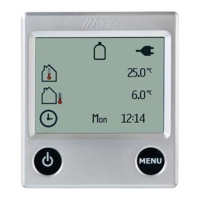
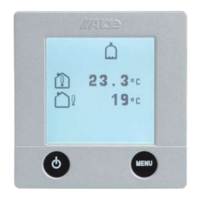
In standby, anything activated in the boiler is displayed.
0. Standby mode in the control panel
1 The control panel is in standby
and the heater is off.
2 The control panel is in standby
and the heater is on.
1. Resetting the system
1 Press the “Store/Reset” button
for 10 seconds. The control panel
will only reset in standby mode.
2 The control panel display shows
that the boiler is ”off”. LPG gas is
“on”. 230 V Electric is ”on” 1kW.
The currant room temperature is
also displayed.
Pump is in automatic mode. The
bottom menu row is not lit up.
2. Start the heater
1 Press the button with the arrow,
“OFF” ashes in the display.
2 Press the +/On button. “On”
ashes in the display.
3 Press the arrow on the left-hand
side and the settings are ready.
“ON” shows constantly in the
display.
Start the heater with the last stored settings.
If the 12 V supply is disconnected the settings used at
that time will be stored.
3. Switch off the heater
1 Press the button with the arrow.
“On” ashes in the display.
2 Press the -/Off button. “Off”
ashes in the display.
3 Press the arrow to the left and
the settings are ready. “Off”
shows constantly in the display.



 To Next Page