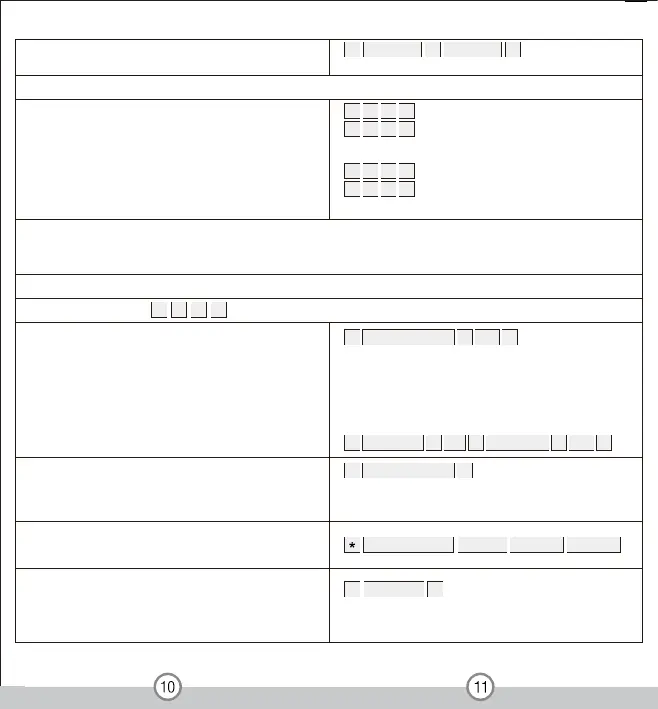
To add a card user (Method 1)
This is an easy way to enter cards with auto-generated ID
numbers The ID number will start from 1 if no user has
been programmed
1 Read Card #
Cards can be added continuously without exiting
programming mode
To change the master code
Set valid Card or PIN users
Set valid Card and PIN users
0 New code # New code #
The master code is any 6 digits
Setting t he working m ode:
3
Entry is by either card or PIN (Factory default setting)
1 2
, Zone 1
, Zone 2
2 2
3
#
#
3
Entry is by card and PIN together
1 1
, Zone 1
, Zone 2
2 1
3
#
#
To add a PIN users
To delete a PIN user
To change the PIN of a PIN user (Note: This step must
be done out of programming mode)
2 User ID number #
Users can be deleted continuously without exiting
programming mode
Note:
When adding users, if the card or PIN user has been enrolled already, you can not
add it again on the same zone,
or the device will give a bleep as error. But it is ok to enroll the same card or PIN for the both zones
Factory default s etting: Card or PIN mode
To set user for Zone 1 3 1 2 # ( )
1 User ID number # PIN #
The ID number is any number among 1- 1100. The PIN
is any 4- 8 digits between 0000- 9 9999999 with the
exception of 1234 which is reserved. Users can be
added continuously without exiting programming
mode as follows:
1 User ID No 1 # PIN # User ID No 2 # PIN #
User ID number # Old PIN # New PIN # New PIN #


 To Next Page
 Loading...