30
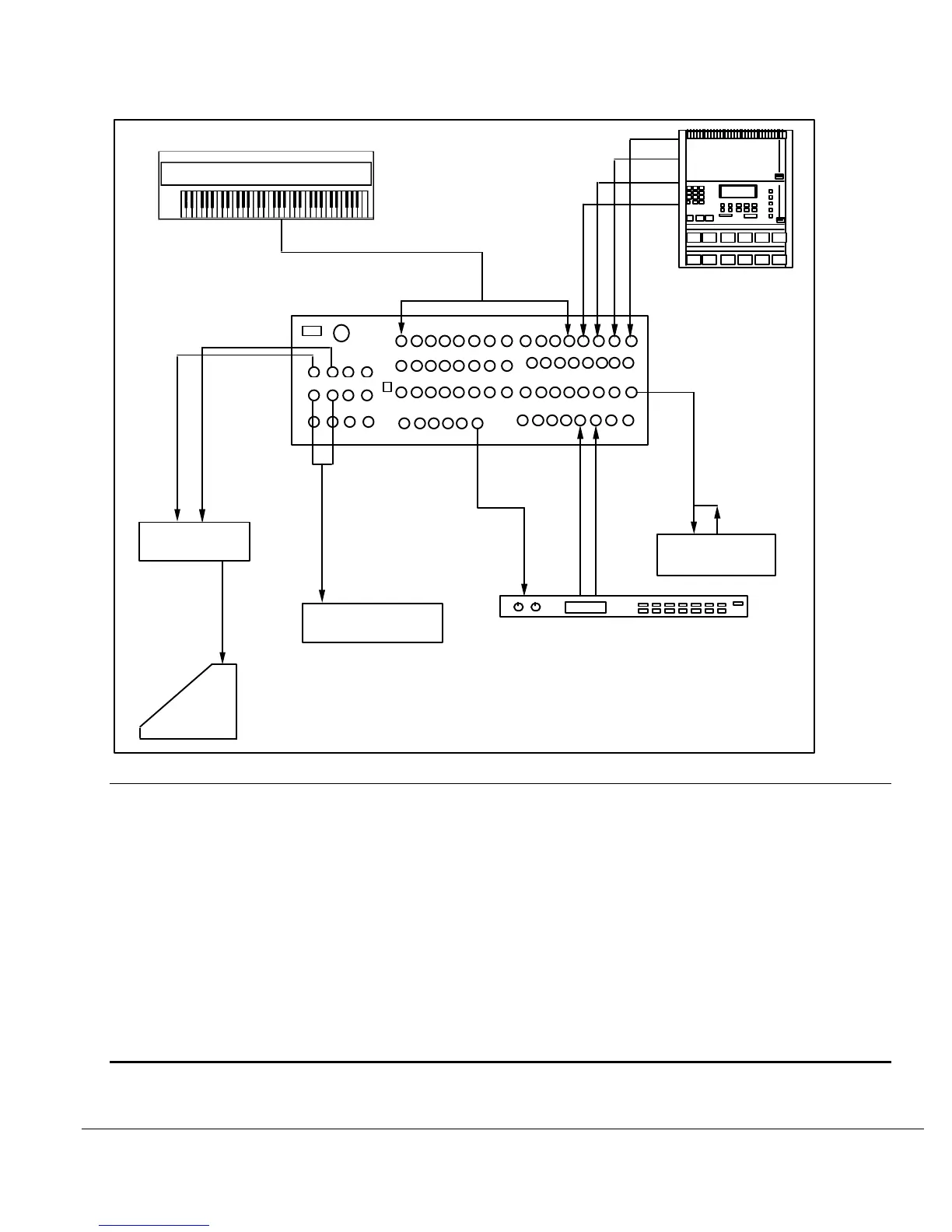
FIGURE 15
USING THE SUB MASTERS OF THE 1622 MIXER FOR SEPARATE OUTPUTS
LINE INPUTS
MIC
DIRECT OUTPUT
CHANNEL INSERTS
SENDS
RETURNS
MAIN OUT
MON TAPE
SUB OUT
IN
IN
IN
OUT
OUT
OUT
EFFECTS UNIT
IN IN
MONITOR
SPKR
DRUM
MACHINE
KEYBOARDS
MICRO LIMITER
STAGE
MONITOR AMP
HOUSE
MIXING CONSOLE
STAGE MONITOR MIX FROM THE PRE-FADER SENDS
It is possible to create up to two separate stage monitor mixes by using the PRE-FADER
SENDS. Although it is possible to use the Post-Fader Sends as well, the Pre-Fader Sends are
better suited to this application since any movement of the Channel Faders will not affect the
Pre-Fader send level. See Figure 16.
1) On the Input Channels, turn SEND 1 and SEND 2 (for 2 separate mixes) or
just SEND 1 (for a single, mono mix) until the desired balance is obtained.
See Section 1, SENDS, and Section 3, HOW TO CREATE A CUE MIX
2) Use SEND MASTER 1 and 2 to increase or decrease the overall volume.
3) Usually, a 1/3 octave graphic equalizer is patched into the line to notch out
feedback frequencies. The Alesis M-EQ 230 is a perfect unit for this
application.
DEDICATED MIDI KEYBOARD MIXER
The use of the 1622 as a dedicated mixer in a MIDI keyboard setup is very similar to a sound
reinforcement application except that the MAIN OUTputs will usually be in stereo rather than
mono. See Figure 16.




 To Next Page