EasyManua.ls Logo

Alesis CLX440 - User Manual

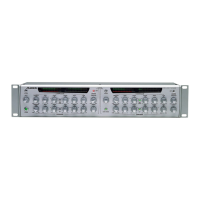
Alesis CLX440
60 pages
Print Icon
To Next Page IconTo Next Page
Loading...
CLX-440 Reference Manual 1
Compressor / Limiter / Expander
Reference
Manual
2001

Table of Contents

Questions and Answers

  • S
    Sheila WileyJul 30, 2025
    What to do if there is no audio from Alesis CLX440 outputs?
    • G
      Gail AndersonJul 31, 2025
      If you are experiencing no audio from the outputs of your Alesis Recording Equipment, consider the following possibilities: * Ensure that the input audio source is working correctly by testing with a known good input. * Check and replace any potentially faulty cables. * Verify the connections and volume levels of the mixer or amplifier connected to the CLX-440. * Adjust the input or output controls to increase the volume. * If the gate is activated, decrease the Expander Threshold and Ratio until the Gain Reduction lights are off. * Deactivate the sidechain by pressing the Sidechain button so that it is off (not lit). * Ensure that the power is connected.
  • T
    Thomas RamirezAug 9, 2025
    Why is there a buzz from Alesis CLX440 Recording Equipment outputs?
    • M
      Matthew HodgeAug 9, 2025
      If you're hearing a buzz from the outputs on your Alesis Recording Equipment, it might be due to cables crossing a power cable. Ensure that the CLX-440 and its audio cables are kept away from power cables and wall warts.
  • L
    lori63Aug 19, 2025
    How to fix AC hum in Alesis Recording Equipment?
    • A
      Amber ButlerAug 20, 2025
      AC hum in your Alesis Recording Equipment is likely due to a ground loop. To resolve this, use only balanced connections in the studio.

Summary

Important Safety Instructions

Chapter 1 Quick Start Guide

Chapter 2 Connections

Chapter 3 Basics of Compression

What is Compression

Explanation of the fundamental principles and purpose of audio compression.

Description of Compressor Controls

Detailed explanation of each control knob for the CLX-440's compressor section.

Threshold Control

Defines the signal level at which compression begins to take effect.

Ratio Control

Determines the amount of gain reduction applied once the threshold is crossed.

Limiting Function

Explanation of limiting as high-ratio compression and its use for peak control.

Chapter 4 Basics of Expansion

What is Expansion

Explanation of the expansion process, its inverse relationship to compression.

Description of Expander Controls

Detailed explanation of each control knob for the CLX-440's expander section.

Expander Threshold Control

Sets the signal level below which expansion or gating begins.

Expander Ratio Control

Determines the amount of attenuation applied when the signal falls below the threshold.

Chapter 5 Applications

Chapter 6 Troubleshooting

Troubleshooting Index

A quick reference table for identifying and resolving common operational problems with the CLX-440.

Specifications

Alesis Limited Warranty

Alesis CLX440 Specifications

General IconGeneral
BrandAlesis
ModelCLX440
CategoryRecording Equipment
LanguageEnglish

Related product manuals