22
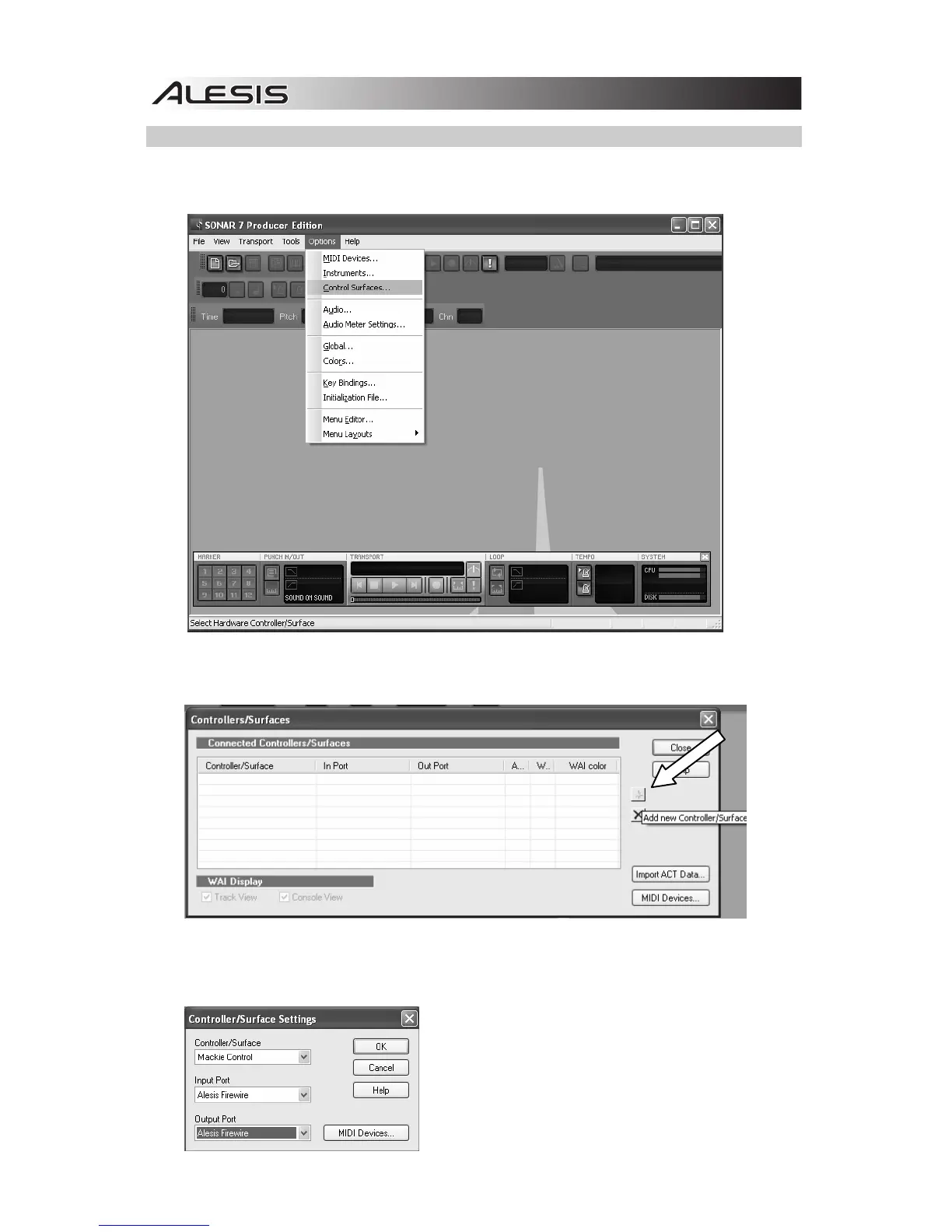
CAKEWALK SONAR SETUP
1. From the menu bar, go to Options f Controllers/Surfaces.
2. Click the button with the “star” icon to add a new device.
3. Select “Mackie Control” from the Controller/Surface drop-down menu, and select “Alesis FireWire”
for the Input Port and Output Port. Click “OK,” then close the Controller/Surfaces window.



 To Next Page