P.20
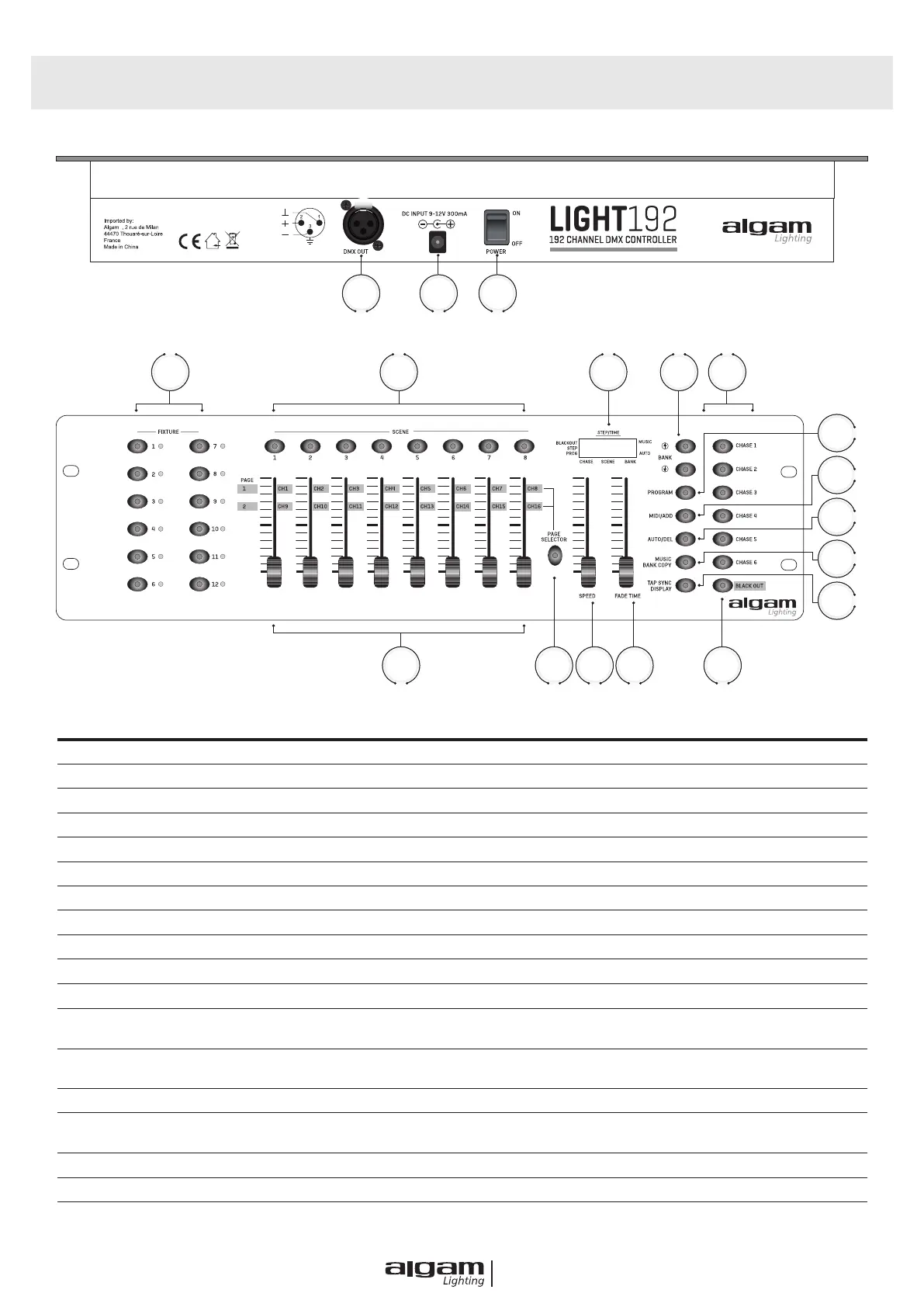
CONTROL PANEL DESCRIPTION
4 5 6 7 8
9
10
11
12
13
1415161718
1 2 3
FUNCTION DESCRIPTION
1 DMX OUT To send DMX signal to fi xtures or packs
2 DC INTPUT To supply a DC 9~12V power, 300m A minimum
3
POWER ON / OF To turn on or off
4 FIXTURES To select any or all of 12 fi xtures
5 SCENES To store or run scenes
6 ECRAN LCD 4- digit showing values and settings chosen
7 BANK 30 banks are available for selecting
8
CHASES To select 1-6 chases
9 PROGRAM To activate the program mode. Display blinks when activated
10 MIDI/ADD To control MIDI operation or activates save function
11
AUTO/DEL To select Auto run in chase mode or delete scenes and/or chases
12 MUSIC/BANK COPY
To trigger sound activation in Chase mode or to copy a bank of scenes
from one to another in program mode
13 TAP SYNC/DISPLAY
In Auto Chase mode used to change the rate of chase
and in program mode change LCD display value
14 BLACKOUT Disables all channel outputs
15 FADE TIME SLIDERS
To adjust the Fade Time. Fade Time is the time it takes the DMX Controller to comple-
tely change from one scene to another.
16 SPEED SLIDERS To adjust the rate of chase speed in Auto Mode
17 PAGE SELECTOR To select page A for channel 1 to 8, or page B for channel 9 to 16
18
FADERS To adjust the output level from 0-255 or the intensity from 0%-100% of each channel



 To Next Page