P.18
MENU AND CONTROLS
Manu
Advan
CONTRÔLE MANUEL
ADVANCED
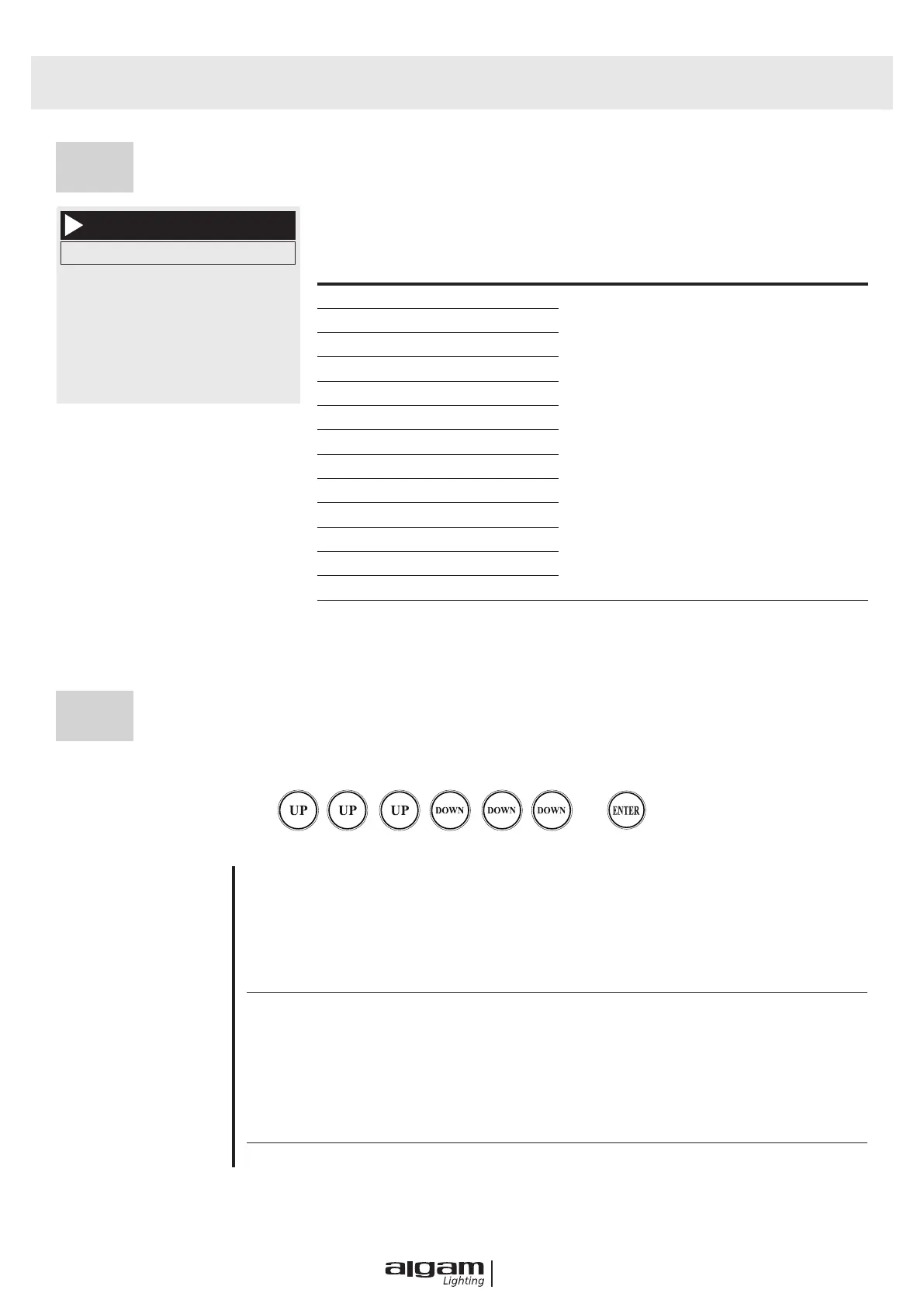
This interface is used to control the current and automatically enters the master
state (does not receive the DMX signal and sends a DMX signal to the slave).
Manu
1. Dimmer
2. Shutter/Strobe
3. Pan
4. Pan Fine
5. Tilt
6. Tilt Fine
OPTION DESCRITPION
1. Dimmer 0-255
Orange indicates selected,
Press “OK” key enter into Edit status,
then press “UP” “DOWN” to select,
press “OK” save and Exit edit status.
2.Shutter/Strobe 0-255
3. Pan 0-255
4. Pan Fine 0-255
5. Tilt 0-255
6. Tilt Fine 0-255
7. Pan/Tilt Speed 0-255
8. Color 0-255
9. Fixed Gobo Wheel 0-255
10. Rotation Gobo Wheel 0-255
11. Gobo Rotate 0-255
12. Prism 0-255
13. Focus 0-255
14. Reset 0-255 Press “OK” to see the conrmation
Password is “Up Up Up Down Down Down”, then press the OK key enter into the Advanced Interface.
+
SENSOR MONITOR
Hall 1-6 State
Hall X-Y
Pan Tilt Codewheel state
Pan codewheel Step
Tilt codewheel Step
RESET CALIBRATION
Pan Calibration
After entering the sub interface, you can adjust the motor
such as X axis and Y axis. Reset position to compensate for
errors in hardware installation.
Adjustment range 128~+127, +0 means no adjustment.
Tilt Calibration
Color Calibration
Gobo Calibration
Focus Calibration
Rt Gobo Calibration
ZERO POINT CORRECTION
ON


 To Next Page