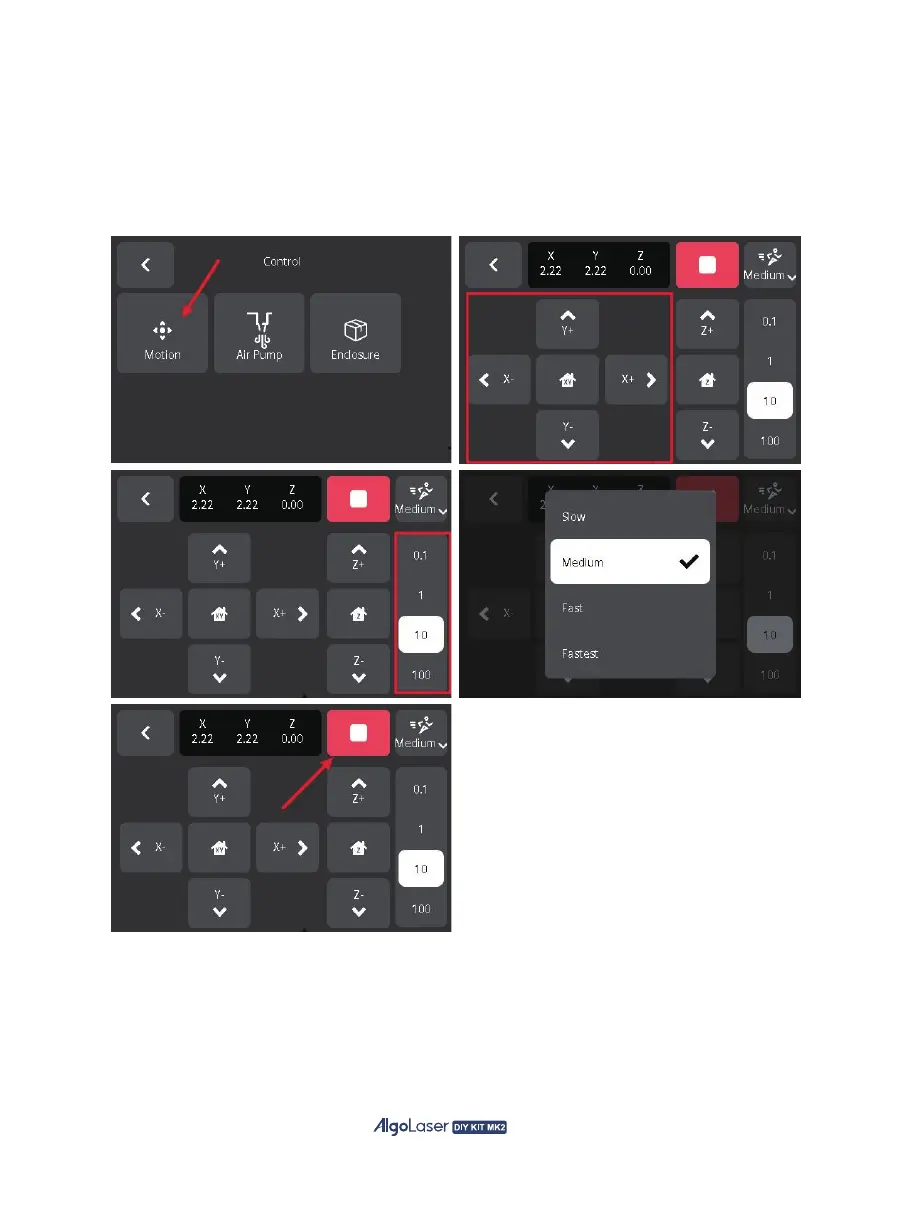
A. Motion Control Page:With AlgoOS, youcan control the machine motion directly, click "Motion" to
enter the Motion Control Page. On the left, use buttons for left shift(X-), right shift(X+), up shift(Y+),
down shift(Y-) and homing(XY). Click on the right side, select 0.1, 1, 10, or 100 to set the distance
the machine moves once. Click the "Medium" button in the upper right corner to adjust the speed of
the machine. Select the speed in the pop-up notification. To halt the machine's movement, click the
red button.
49


 To Next Page