4、Control Modules
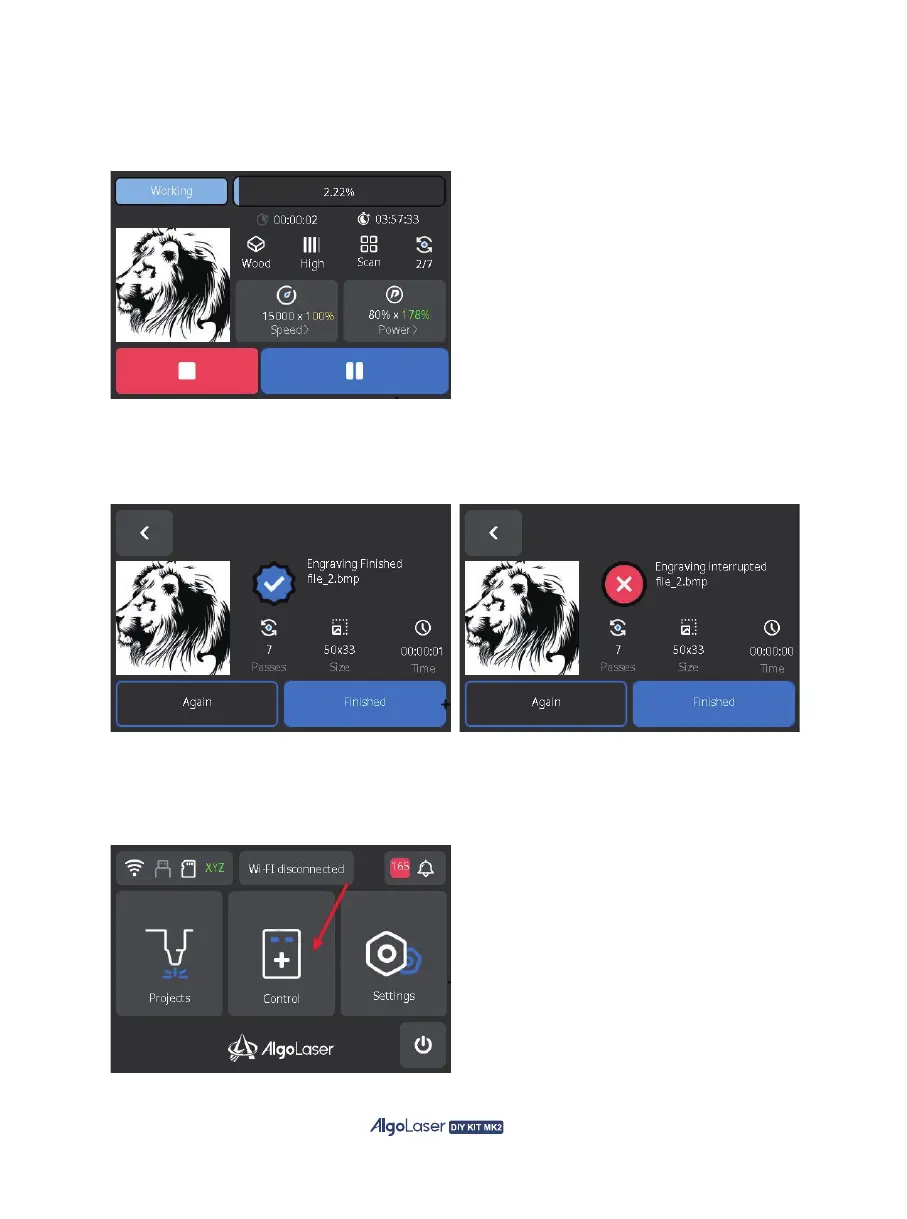
F. Engraving Progress Page: On AlgoOS engraving progress page, you can view the engraving
progress , time, parameters, and adjust the engraving speed and laser power in real time. During
the engraving process, you can pause/resume by clicking the bottom right button, or end engraving
by clicking the bottom left button.
G. Engraving End Page: Upon completion or interruption of engraving, AlgoOS will direct to the
engraving end page. "√" is displayed if the engraving is successful, and "×" is displayed if it is
stopped manually or abnormally. You can click "Again" to retry or "Finished" to back to the main page.
The AlgoOS system provides intelligent control of external devices. Click "Control" on the main page to
enter the control page.
48


 To Next Page