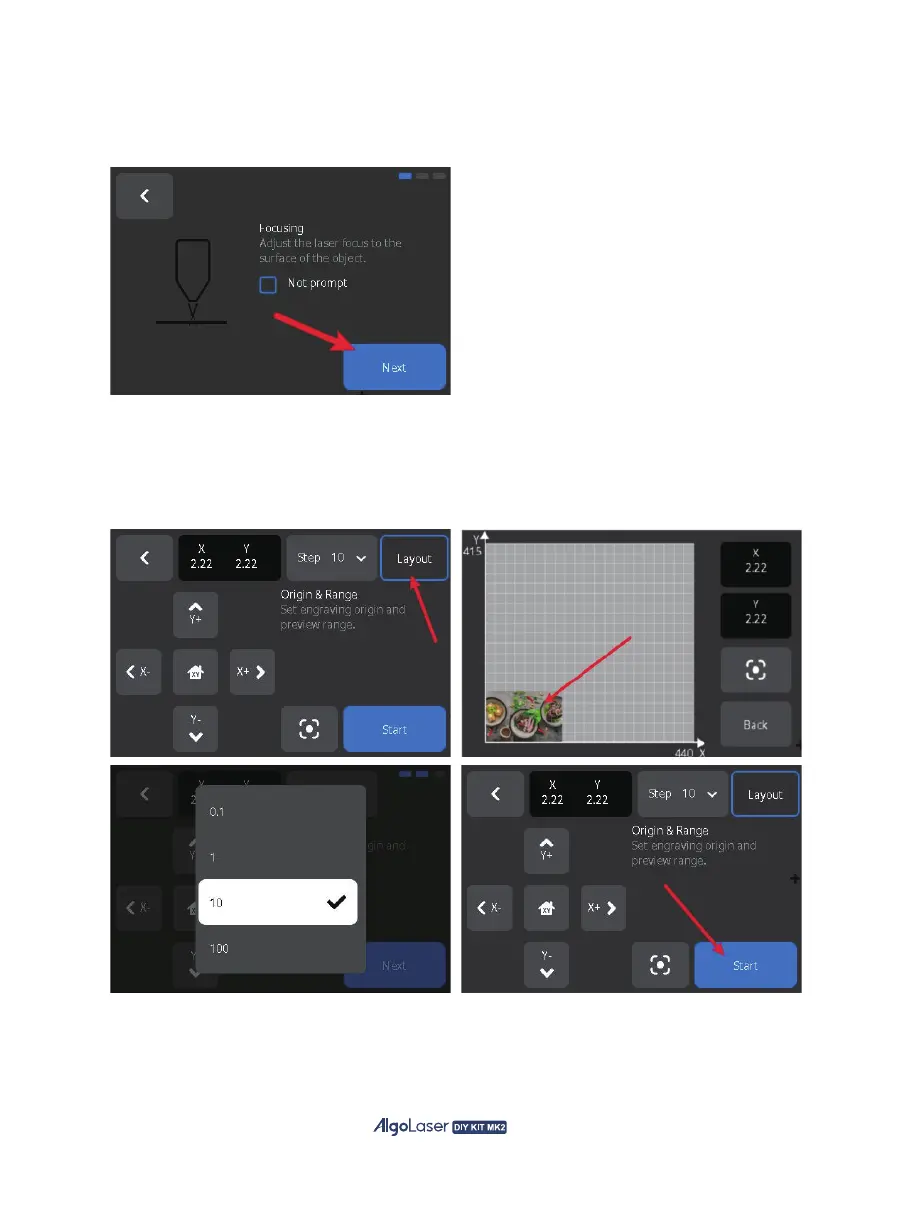
E. Engraving preparation page:
.
Focuse Verification: ensure that the laser focus focal length is correct, click "Next". And “Not
prompt" is selected by default, can be turned on in "Settings--Engraving";
.
Engraving area: Use the screen button to move the laser position, and "Step" to adjust the moving
distance, or via the click "Layout". Drag the picture to move the laser position, and observe whether
the engraving starting position meets the engraving requirements, and the range covers the
engraved object. Once everything is verified, click "Start", and the laser engraving machine will start
the process.
47


 To Next Page