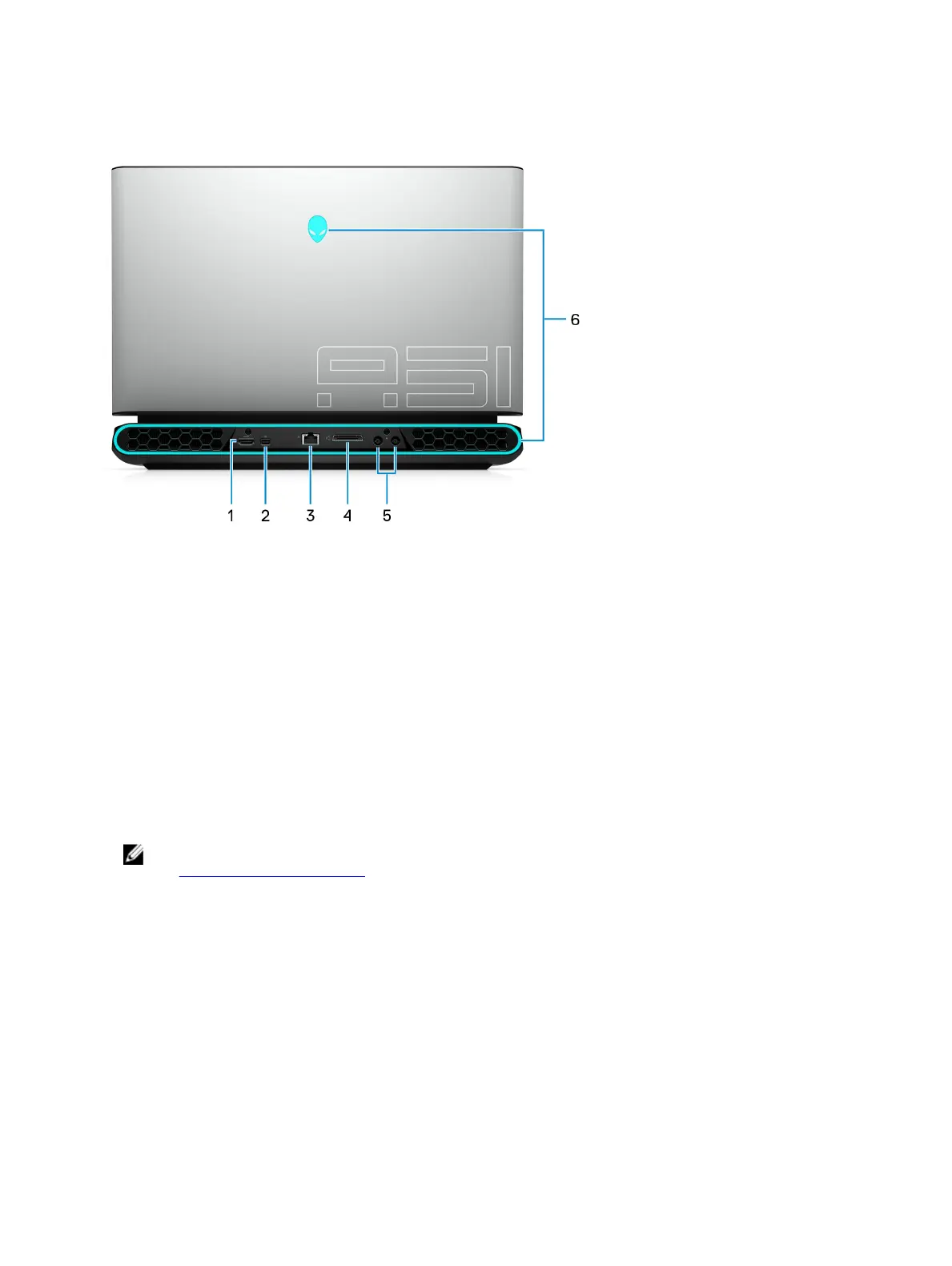
Back
1 HDMI port
Connect to a TV or another HDMI-in enabled device. Provides video and audio output.
2 DisplayPort
Connect an external display or a projector.
3 Network port
Connect an Ethernet (RJ45) cable from a router or a broadband modem for network or Internet access.
4 External graphics port
Connect an Alienware Graphics Amplier to enhance the graphics performance.
5 Power-adapter ports (2)
Connect a power adapter to provide power to your computer.
6 AlienFX lighting
AlienFX lets you choose from an array of color and transition eects across multiple zones on the computer.
NOTE: AlienFX is congurable in Alienware Command Center (AWCC). For more information about AWCC,
see Alienware Command Center.
10















 To Next Page