NOTE: This computer supports AlienFX, which lets you choose from an array of color and transition eects across
multiple zones on the computer, including the keyboard, power button, and touchpad. For more information, see
Alienware Command Center.
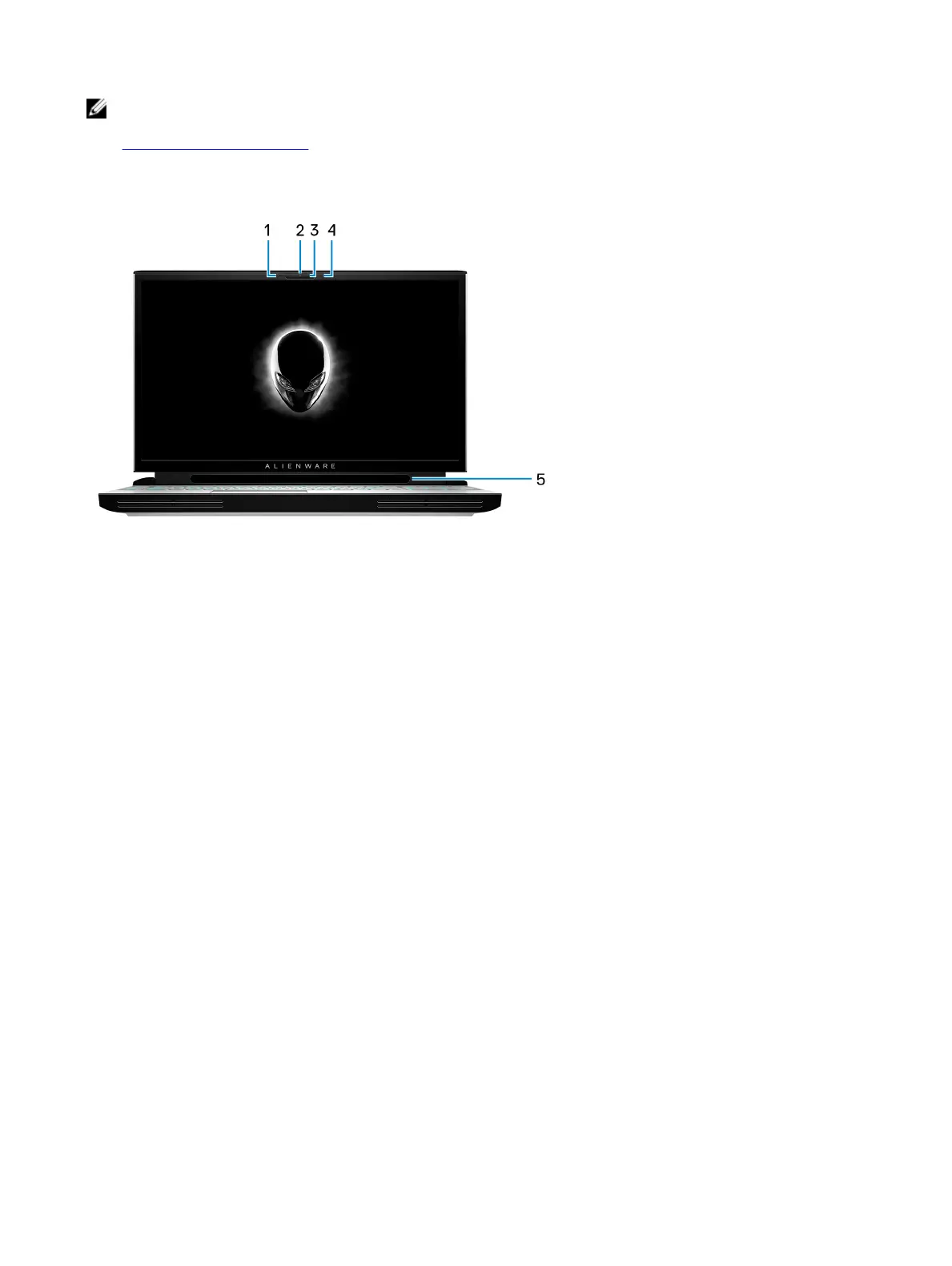
Display
1 Left microphone
Provides digital sound input for audio recording and voice calls.
2 Camera
Enables you to video chat, capture photos, and record videos.
3 Camera-status light
Turns on when the camera is in use.
4 Right microphone
Provides digital sound input for audio recording and voice calls.
5 Tobii Eye Tracker
Application that enables you to interact with your computer using your eyes.
9















 To Next Page