24 | Setting Up the Monitor
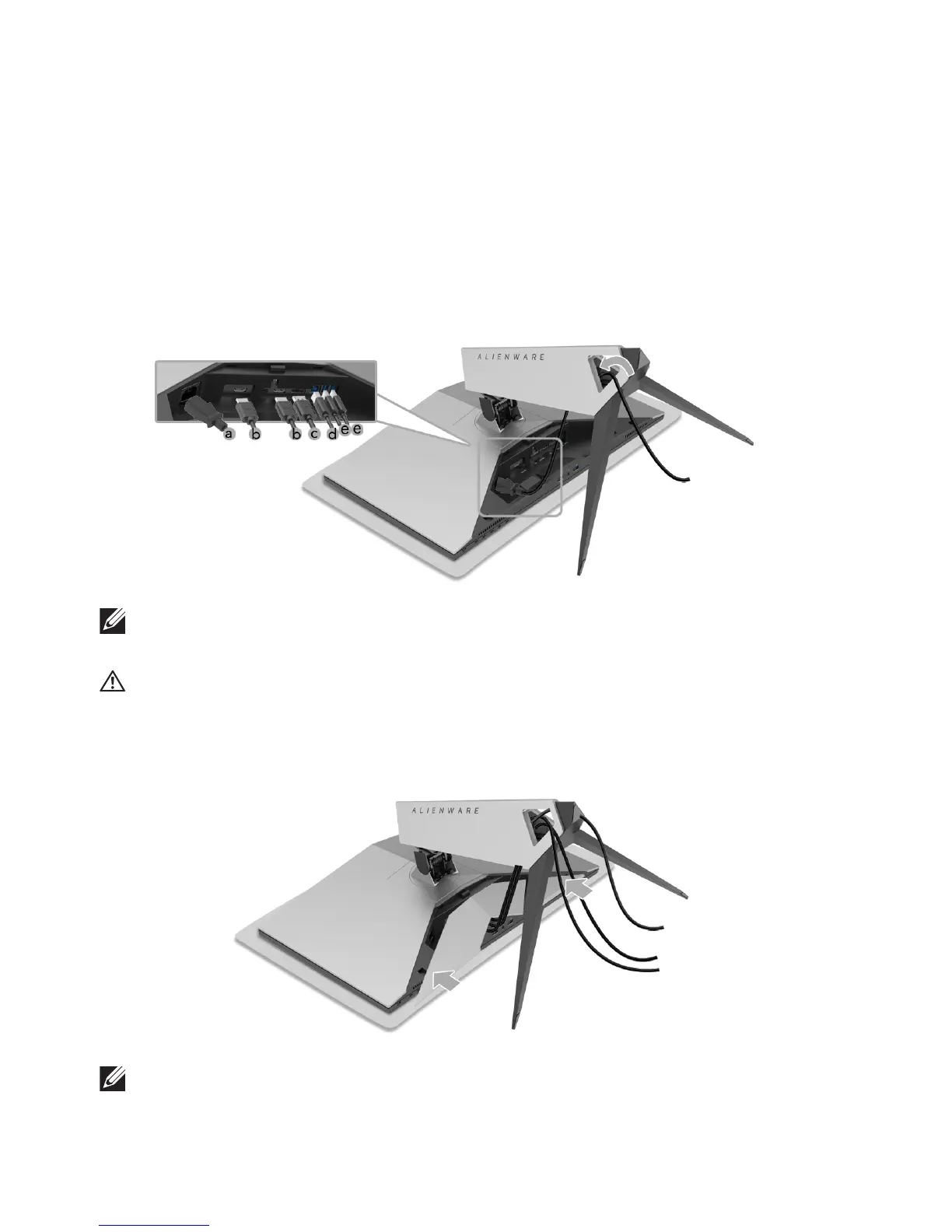
3. Route and connect the necessary cables to the monitor, as shown in the
il
lustration.
a. Power cable
b. HDMI cable
c. DP cable (optional, cable not included)
d. USB upstream cable
e. USB downstream cable
s (optional, cable not included)
NOTE: Route each cable neatly so that the cables will be organized after
the cable cover is attached.
WARNING: Do not plug-in or turn-on the power to the monitor until you
are instructed to do so.
4. Slide the cable cover till it snaps into place.
NOTE: Ensure that the cables may pass through the bottom of the cable
cover.















 To Next Page