About your monitor | 13
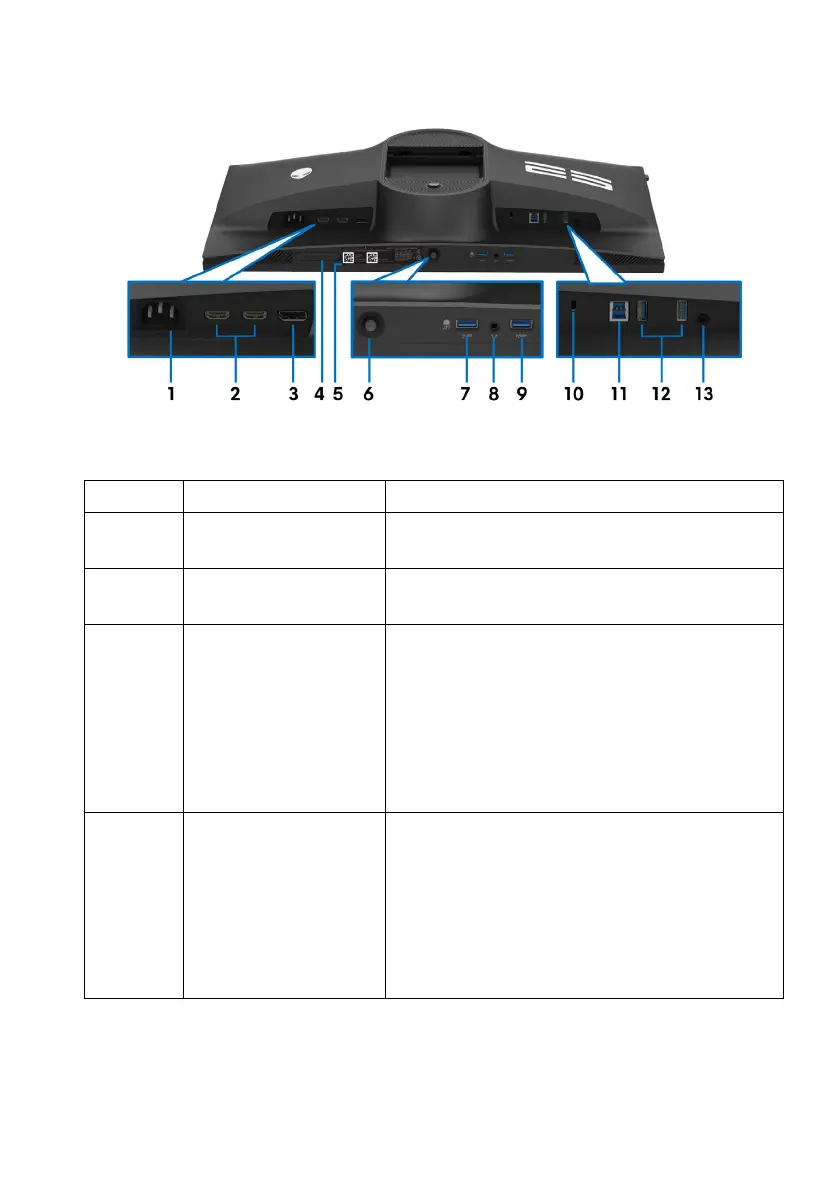
Rear and bottom view
Rear and bottom view without monitor stand
Label Description Use
1 Power connector Connect the power cable (shipped with your
moni
tor).
2 HDMI ports
(HDMI 1/HDMI 2)
Connect your computer with the HDMI
ca
ble.
3 DisplayPort • Connect your computer
with DisplayPort-
DisplayPort cable (shipped with your
monitor)
or
• Connect your computer with USB-C to
Di
splayPort cable (shipped with your
monitor)
4 Diagnostic port Connect to run monitor diagnostic.
NOTE: T
his port is to be used by service
personnel only.
NOTE: Do not
peel the port stopper all the
way through. Upon loosening the stopper,
rotate it 90° in either direction to expose the
port.















 To Next Page