34 | Setting up the monitor
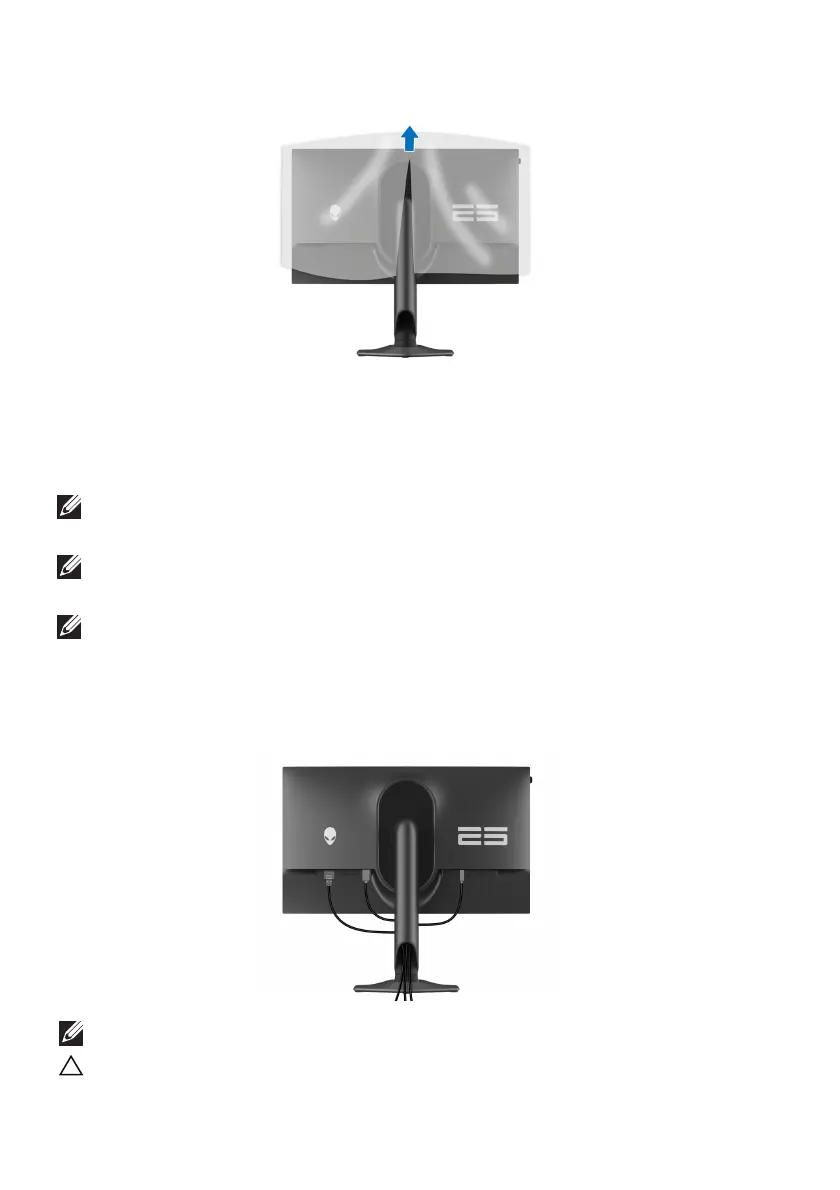
8. Lift the protective cover from
the monitor.
9. Connect the power cable to the monitor.
10.Connect the required cables to the monitor, such as DisplayPort cable,
USB-C to DisplayPort cable, USB 3.2 Gen 1 (5 Gbps) upstream and
downstream cables, and so on.
NOTE: When using the DisplayPort to USB-C cable, connect the
DisplayPort
end of the cable to the monitor.
NOTE: The USB 3.2 Gen 1 (5 Gbps) downstream cables are not shipped
with your display and sold separately.
NOTE: Dell monitors are designed to work optimally with the Dell-
supplied cables inside the box. Dell does not guarantee the video quality
and performance when non-Dell cables are used.
11. Rout
e the required cables through the cable-management slot on the
stand.
NOTE: Route each cable neatly so that the cables are organized.
CAUTION: Do not plug the power cable into the wall outlet or turn on the
mon
itor until you are instructed to do so.















 To Next Page