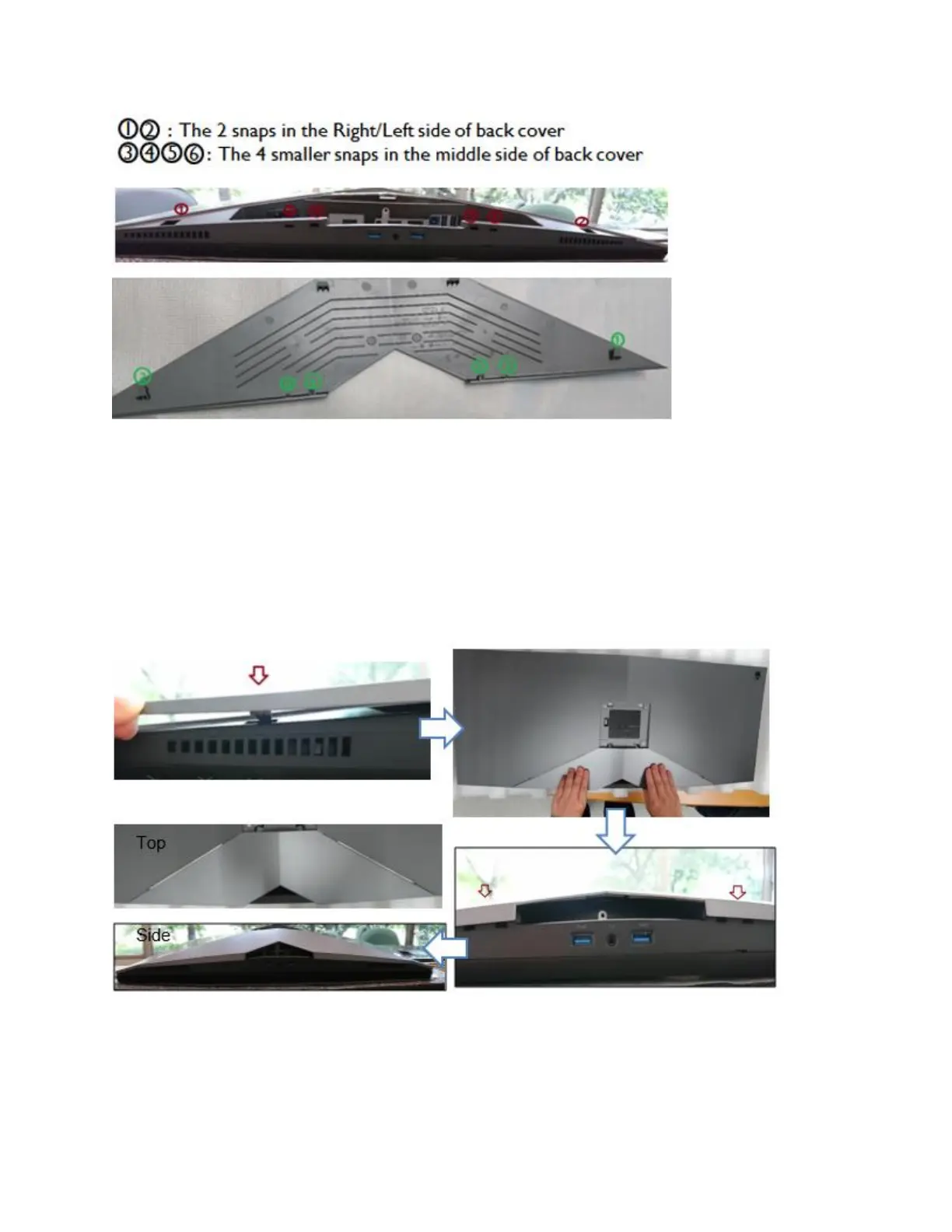
Figure 10. - Cable cover snap locations
To assemble cable cover with the back cover of monitor:
1. Positioning the Right/Left snaps
2. Slide the cable cover till it snaps into place
3. Press down the cable cover and let the middle snaps hook up with the holes
4. Make sure all snaps is into place and no significant gap between cable cover and back
cover (Figure 11.)
Figure 11. - Cable cover installation process
NOTE: If any snap is not into place, it is difficult to put the cable cover well (the cable cover is
slant) or damage the snaps of cable cover. (Figure 12.)















 To Next Page