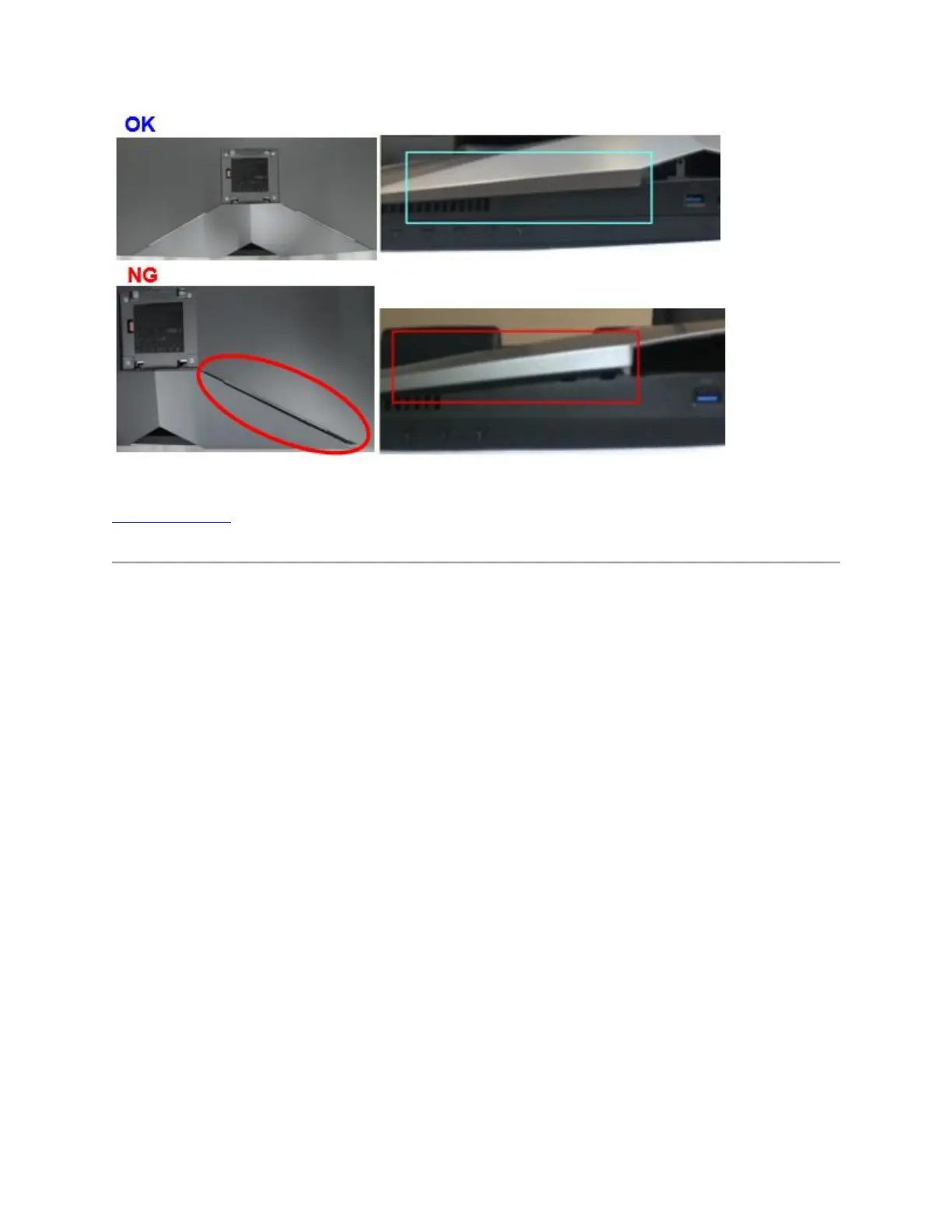
Figure 12. - Correct and incorrect cable cover installion examples
Top of the Page
Disassembling the Cable Cover
The AW3418DW & AW3418HW have a cable cover to assemble with the back cover of
monitor.
If you want to disassemble cable cover, please gently slide off the cable cover from the back
cover of monitor to prevent from breaking the snap of cable cover.
To disassemble cable cover from the back cover of monitor:
Using your thumbs, apply gentle pressure on the cable cover to horizontally slide it off from the
monitor. (Figure 13.)















 To Next Page