About Your Computer | 5
About Your Computer
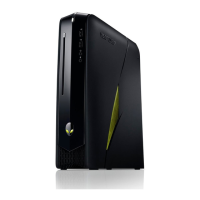
Front View
NOTE: Your Alienware X51 R2 computer supports dual orientation. You can place
your computer vertically or horizontally. The rotatable AlienHead allows you to
change the direction of the AlienHead depending on the orientation of your
computer.
1 power button 2 optical-drive eject button
3 optical drive 4 rotatable AlienHead
5 microphone port 6 headphone port
7 USB 3.0 ports (2)
book.book Page 5 Monday, November 18, 2013 3:50 PM












 To Next Page