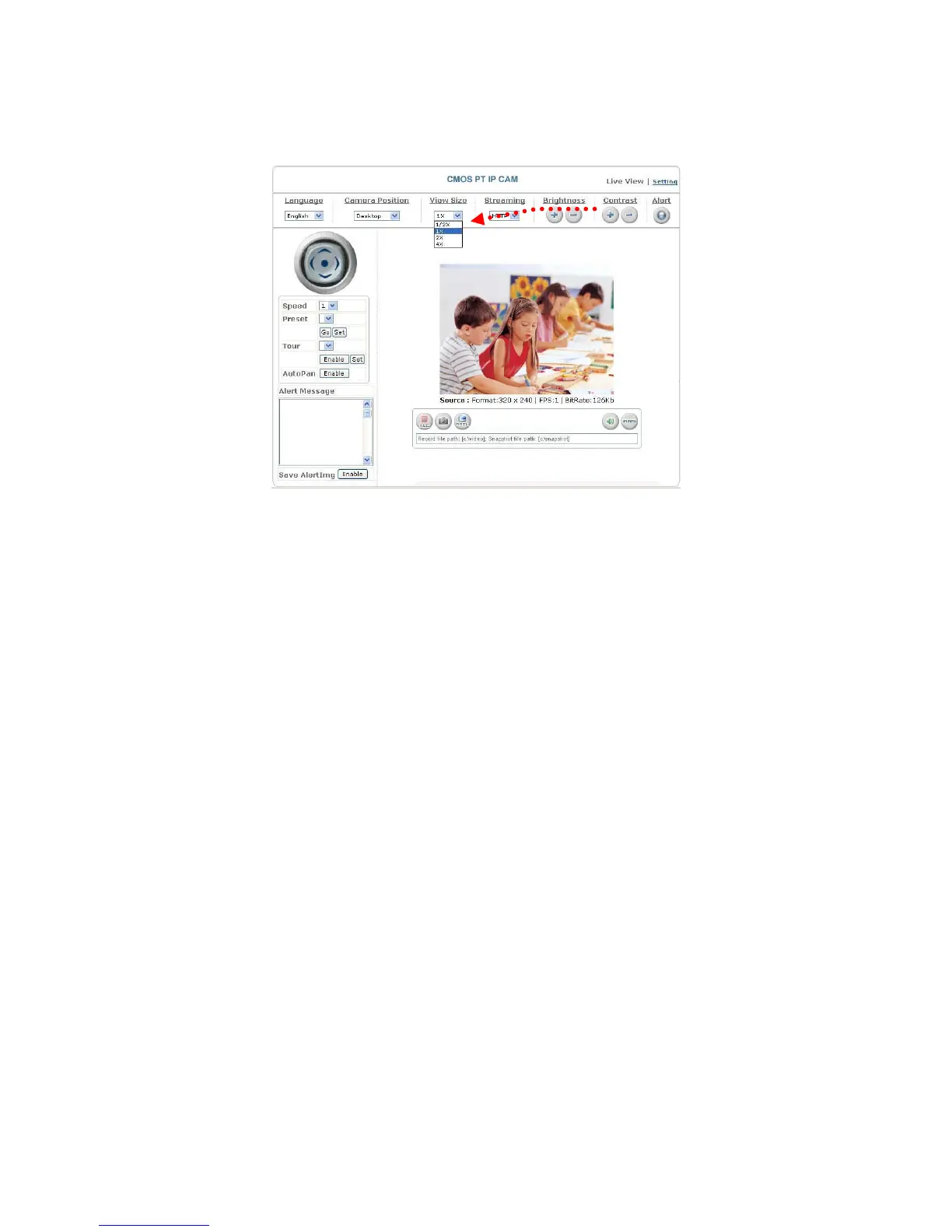
10. View Size: selects the size of the image
Select the size of the image from 0.5 to 4 times.
Select an image size
11. Streaming: sets the video stream protocol (HTTP is recommended)
The product provides three different video streaming protocols: UDP, TCP, and
HTTP. HTTP is the most recommended because it allows the video stream to go
through the firewall. (Refer to Setting/Basic Setting/Network/Streaming for more
information).
UDP: It provides the fastest but unreliable transmission service. Video steams are
transmitted thought UDP Port (50000~60000 by default) to ensure the
fastest image transmission. However, video fragment or mosaics may occur
due to poor transmission quality.
TCP: It provides reliable data transmission. Video steams are transmitted through
RTSP Port (554 by default) to avoid video fragment or mosaics due to poor
transmission quality.
HTTP: Video streams are transmitted through HTTP Port (80 by default) to ensure
going through firewalls.
23


 To Next Page