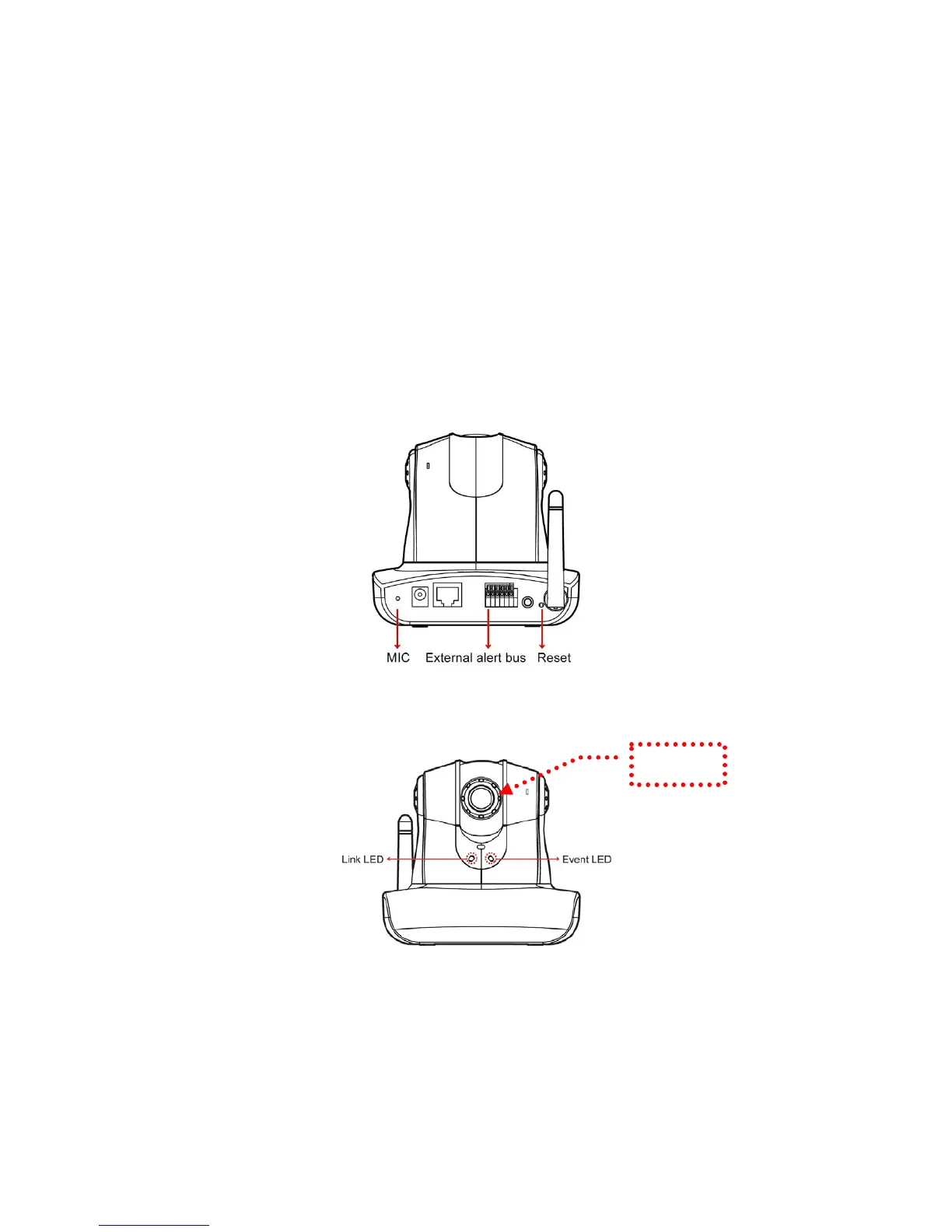
External alert bus (DI/DO)
For more information about DI/DO, refer to Attachment A.
Reset to factory settings
After turning on the machine, press in this hole for 5 seconds using a sharp object to
reset to factory settings.
Built-in microphone
The product is provided with built-in microphone pickup function. Don't block this
hole if you want to use this function to acquire the best audio response.
Link LED and Event LED
1. Link LED: The green LED lights up when you transmit images after turning on
the machine.
2. Event LED: The green LED flashes when motion or alert detection is
implemented after you turn on the machine.
Focus knob
You can rotate the focus knob clockwise or anticlockwise to acquire the sharpest
image.
Focus knob
9


 To Next Page