AliveCor, Inc. For support, please email support@alivecor.com or visit www.alivecor.com 8
NOTE: The toggle will turn to green if turned to the on position.
3.6. Set up an AliveCor Account
You will use your AliveCor account to access, print, and save your EKG recordings stored on the
Kardia phone app and the AliveCor server. Follow the instructions presented when you open
the Kardia phone app for the first time. You can go back later and change your information if
necessary.
Add a passcode (personal identification number [PIN]), or Touch ID (fingerprint) to your smart
device to add a layer of security. It is important to secure the smart device since you will be
storing personal health information. Review the manual of the smart device for information on
how to add a layer of security.
NOTE: Kardia Band customers will be directed to the Kardia phone app to setup their account
and go through onboarding.
3.7. Free Trial for Premium Features
Once an account has been created, you have access to premium features for a period of time.
At the end of the free trial, your access to those features ends. If you wish to continue to
access the premium features, follow the onscreen instructions for purchasing a subscription.
4. RECORD EKG RHYTHMS
NOTE: You will not be able to view your recordings or utilize any of Kardias detectors until your
over-read analysis is received. To gain access to these features, you must create an account on the
Kardia phone app. Follow instructions on the Kardia phone app to take a first recording as part of
setting up the device. Your first recording will then be automatically sent for a free analysis by a
cardiologist (US customers only). Once you have received the EKG analysis, you will have access to
view that recording and subsequent recordings.
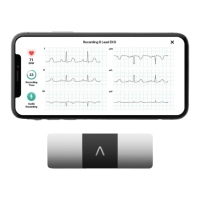
4.1. To take an EKG recording with Kardia Mobile, follow the instructions below.
Before taking each recording:
• Disconnect headphones, charger cables, or any other connected devices.
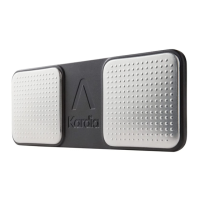
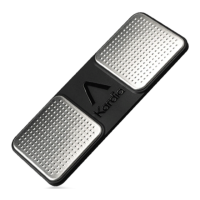
• Clean the two electrodes with alcohol-based sanitizer.
• Using your smartphone or tablet, launch the Kardia phone app.
1. Select an EKG option – Standard EKG, Resting Heart Rate, or Guest EKG. All options will
record an EKG. Standard EKG is recommended for taking an EKG at any time, e.g. when
you are feeling symptomatic. Resting Heart Rate EKG is recommended to establish your
resting heart rate baseline. We recommend taking that EKG when you first rise in the
morning; the time of day when the body is most rested. Guest EKG is the recommended
option when a family member or friend needs to record an EKG.


 To Next Page