EasyManua.ls Logo

AliveCor Kardia User Manual

AliveCor Kardia
37 pages
To Next Page IconTo Next Page
Page #1 background imageLoading...
Page #1 background image
AliveCor, Inc. For support, please email support@alivecor.com or visit www.alivecor.com 1
User Manual for
Kardia by AliveCor®
© 2011-2017 AliveCor, Inc. All rights reserved. US Patent No: 8,301,232 and Patents Pending. AliveCor
and Kardia are trademarks and trade names of AliveCor, Inc. in the United States and other countries.
08LB12 Revision 5 | 08June2017

Questions and Answers:

AliveCor Kardia Specifications

General IconGeneral
CategoryMedical Equipment
ConnectivityBluetooth
CompatibilityiOS and Android devices
ECG LeadsSingle-lead
ECG Recording30 seconds
FDA ClearedYes
Device TypeECG Monitor
Power SourceCoin cell battery
Detection CapabilitiesAtrial Fibrillation, Bradycardia, Tachycardia, Normal Sinus Rhythm
BatteryCR2016 coin cell battery

Summary

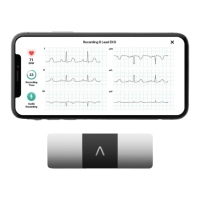
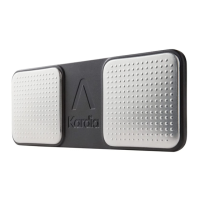
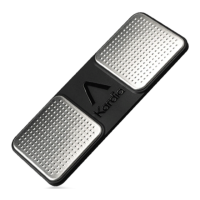
PRODUCT DESCRIPTION

CAUTIONS

General Cautions

Lists general precautions to be taken when using the Kardia devices.

Kardia Band System Cautions

Specific precautions for the Kardia Band System.

Kardia Mobile Cautions

Specific precautions for the Kardia Mobile device.

SET UP KARDIA MOBILE OR KARDIA BAND SYSTEM AND TAKE THE FIRST EKG RECORDING

Device Compatibility and Selection

Guides on choosing compatible smartphones, smartwatches, or tablets for Kardia.

Set up an AliveCor Account

Guides on creating an AliveCor account for accessing recordings and services.

RECORD EKG RHYTHMS

Taking an EKG with Kardia Mobile

Detailed instructions for performing an EKG recording using Kardia Mobile.

Taking an EKG with Kardia Band System

Detailed instructions for performing an EKG recording using the Kardia Band System.

ONCE THE RECORDING IS FINISHED

SETTINGS AND ADJUSTMENTS (KARDIA PHONE APP ONLY)

EMAIL, PRINT, OR DELETE RECORDINGS

Emailing and Printing from Kardia App

Guides on how to email or print EKG recordings from the Kardia phone app.

JOURNAL (KARDIA PHONE APP ONLY)

SEARCH OR FILTER RECORDINGS (KARDIA PHONE APP ONLY)

VIEW AN EKG RECORDING ON THE ALIVECOR WEBSITE

Viewing EKGs on the AliveCor Website

Steps to sign in and view EKG recordings stored on the AliveCor server.

CLINICIAN REVIEW (KARDIA PHONE APP ONLY)

Requesting a Clinician Review

How to request professional clinical interpretation and analysis of your EKG recordings.

DETECTORS (ATRIAL FIBRILLATION, NORMAL, UNREADABLE)

Detector Overview and Requirements

Information on detector usage requirements and general detector functions.

Atrial Fibrillation Detector Details

Explanation of the Atrial Fibrillation detector's function and limitations.

Normal Detector Details

Explanation of the Normal detector and what constitutes a 'normal' EKG.

Unreadable Detector Details

Explanation of the Unreadable detector and reasons for unreadable recordings.

MEDICATIONS (KARDIA PHONE APP – IOS ONLY)

INSIGHTS (KARDIA PHONE APP ONLY)

BLOOD PRESSURE

iOS Blood Pressure Pairing and Upload

Guides for pairing and uploading blood pressure readings from Omron monitors on iOS.

WEIGHT

ACCESSING HELP

EDITING USER PROFILE (KARDIA PHONE APP ONLY)

Editing User Profile Details

Steps to access and modify user profile details within the Kardia phone application.

TROUBLESHOOTING

Kardia Mobile Not Working & Battery Replacement

Troubleshoots issues when Kardia Mobile isn't working and how to change its battery.

Kardia Band Not Working & Battery Replacement

Troubleshoots issues when Kardia Band isn't working and how to change its battery.

EKG Recording Quality Issues

Addresses artifact, noise, upside-down rhythms, and password reset problems.

KARDIA SPECIFICATIONS

ELECTRICAL SAFETY

Related product manuals