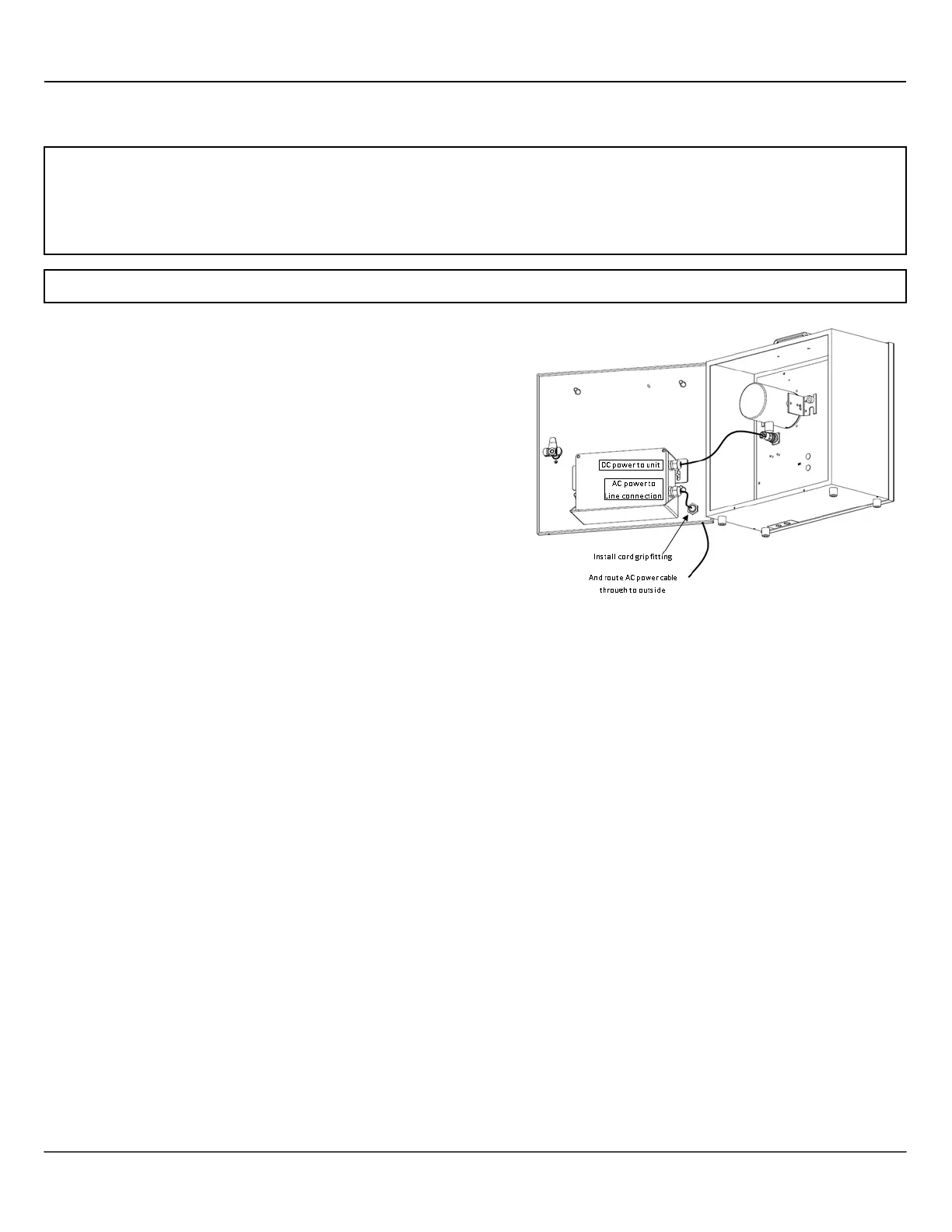
• Mount the SPEEDsentry in the desired location.
• Disconnect AC power to the power supply line.
• Drill a .875” diameter hole for the provided cord
grip fitting in the SPEEDsentry enclosure where
desired. See image for recommended location
(placing the hole in the back lid of the unit will
allow the front of the unit to swing open).
• Place the provided cord grip fitting into the drilled
hole and secure by tightening the nut on the
inside.
• Bring AC line through fitting to the outside of the
unit. Tighten the cord grip fitting around the cable.
• Make the AC Connections:
• Black w ire to Line/Hot
• White w ire to Neutral
• Green w ire to Ground using preferred method
(twist-on wire connectors are provided).
• Also provided is a small weatherproof box to
further protect this connection. If preferred, this box
can also be mounted inside the SpeedSentry.
• Plug the SPEEDsentry DC power connector from
the AC power supply into the SPEEDsentry power
input receptacle below and to the left of the radar .
(Note that this DC plug can be disconnected and
the SPEEDsentry can then be operated with a
battery connected to the power input receptacle.)
• Apply AC power.
• The SPEEDsentry is ready for use. Configure
according to the SPEEDsentry instructions.
• When power is removed and reapplied, the
Speedsentry will return to the same operating
mode as when power was removed.


 To Next Page