SpeedSentry Radar Speed Display - 27
Shield 18 On-Board Controls (Pre-2010 units)
Button wi th dot: Scrolls through the display options - see next step.
Button wi thout dot: Scrolls through the speed limit settings in 5MPH
increments.
Note: After 5 minutes after powering the unit on, these buttons will
automatically deactivate to prevent unwanted tampering. To reactivate the
buttons the unit must be powered off and then powered back on.
The Display Mode button scrolls through the display options. The current display option displays using the
digits on the front of the speed display. The first press displays the current mode, and then the each press
increments through the modes. Demo activates demo mode in the last selected display mode, so if you want
to demo the sign constant with strobe, select the cS mode, let it take effect (when the displayed cS goes off)
and then select the dE mode. Modes are as follows:
oF: Stealth mode, used to collect baseline traffic data with no display
c: Constant display, digits display a speed with no blinking
cS: Constant display with violator strobe
b: Blinking display, digits display a speed and blink for all vehicles. Conserves power.
bS: Blinking digits with violator strobe
dE: Demo mode, sign displays a pattern of numbers to show digits when no vehicles present.
When the Shield 18 is powered on it will go through a startup routine and display 88. T he unit does not loose
data when the power is disconnected.
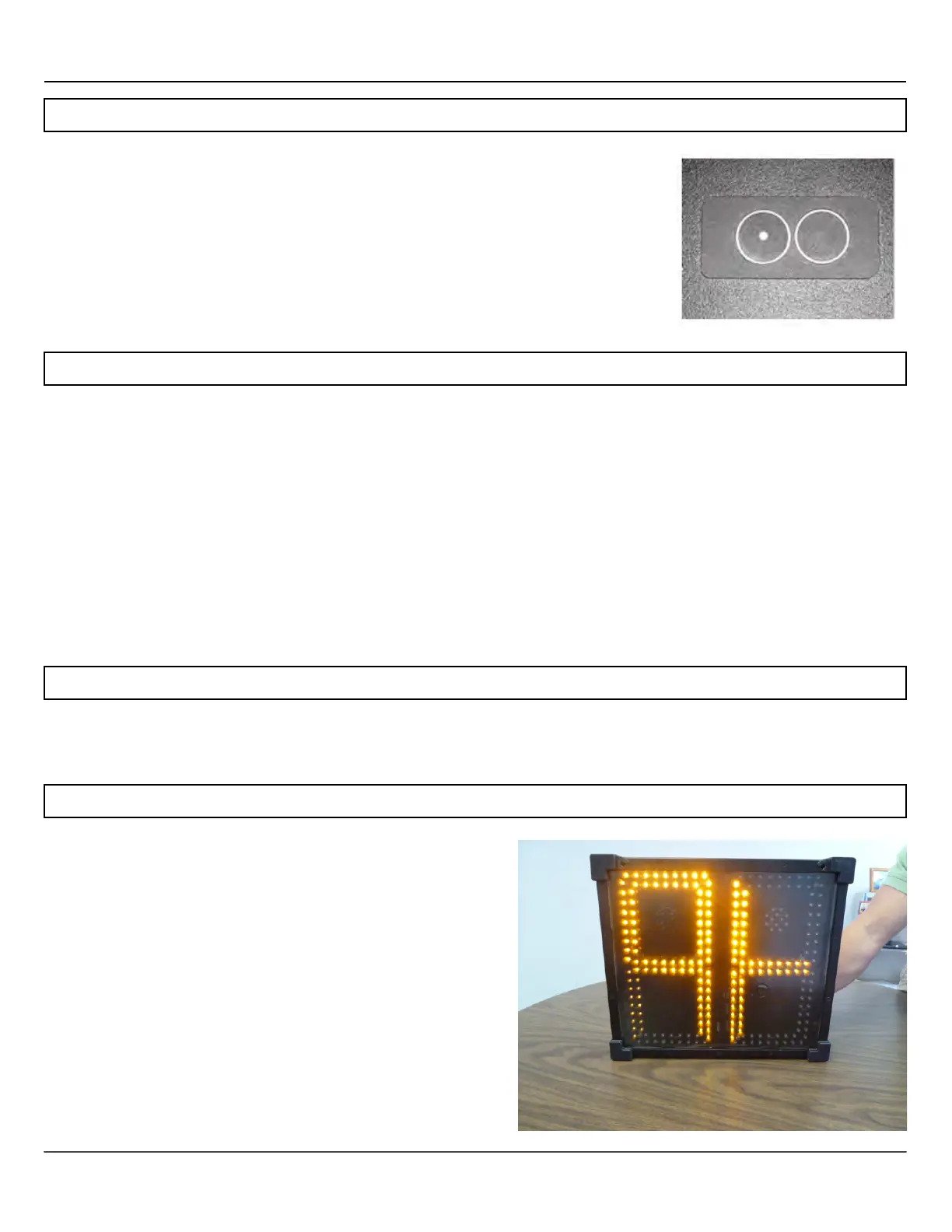
When using SmartApps Remote Management, the sign
can be triggered to tell the server that is has moved. To
send the move signal, press both the speed limit and
the display mode buttons at the same time and hold
them for 15 seconds. The Shield will display a + on the
digits while the outer leds will circle around the '+' to
indicate that the move sign signal is being sent to the
server. Remember to reactivate the buttons if they have
timed out and stopped operating.



 To Next Page