14 Rockwell Automation Publication 1794-IN102D-EN-P - July 2018
FLEX I/O AC Digital Input Modules
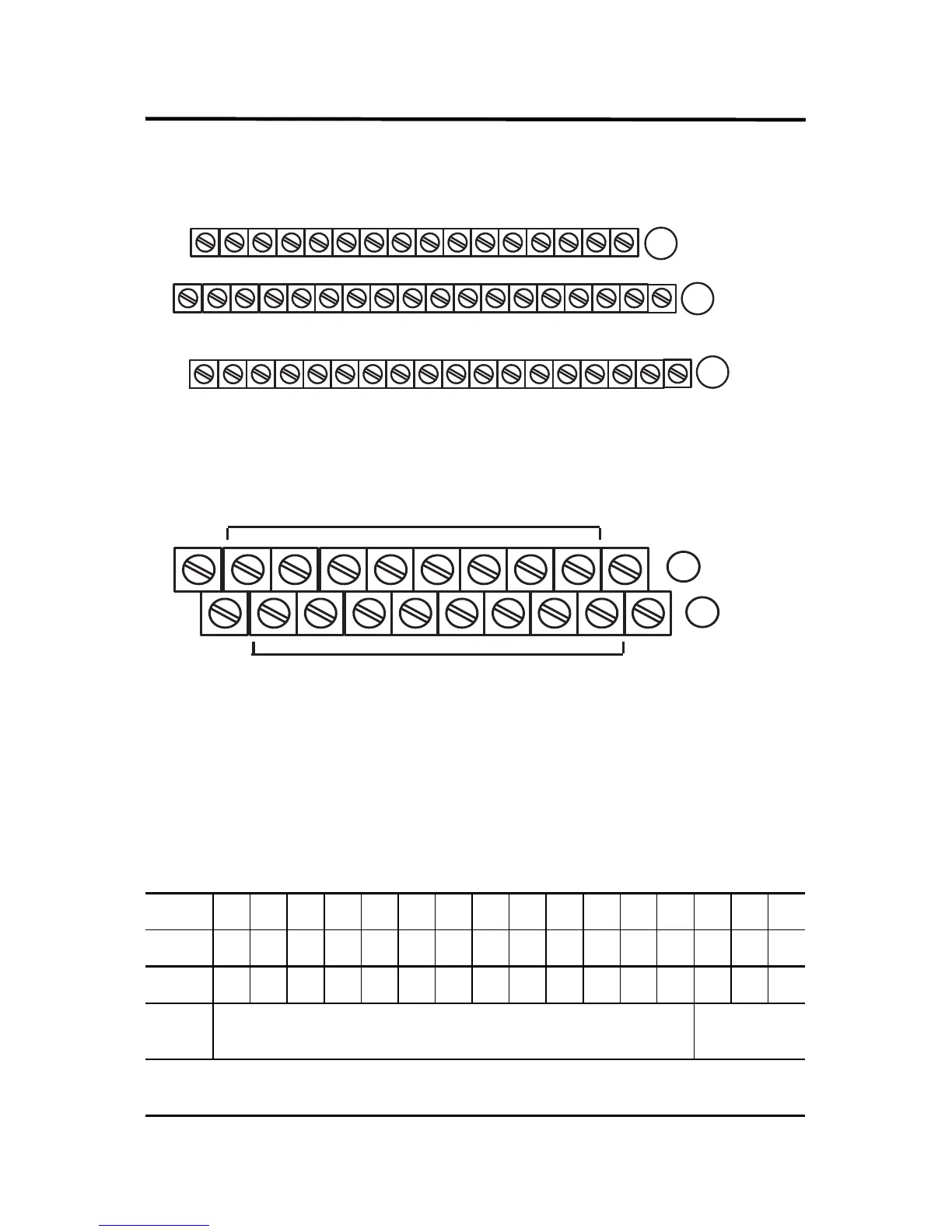
1794-TB2, 1794-TB3, and 1794-TB3S Terminal Base Wiring for 1794-IA8I
1794-TBN Terminal Base Wiring for 1794-IA8I
Configuring Your AC Input Module
Image Table Memory Map for the 1794-IA8 and 1794-IA8I Modules
Dec 1514131211109876543210
Oct 17161514131211107 6 5 4 3 2 1 0
Read I7 I6 I5 I4 I3 I2 I1 I0
Write Not used – set to 0
Filter Time FT
0...7
Where
I = Input
FT = Input filter time
17 18 19 20 21 22 23 24 25 26 27 28 29 30 31 32 33
0 1 2 3 4 5 6 7 8 9 10 11 12 13 14 15
16
35 36 37 38 39 40 41 42 43 44 45 46 47 48 49 50 51
34
(1794-TB3 shown)
A
B
C
Connect Inputs to even numbered terminals on row (A)
Connect 120V AC common L2 to odd numbered terminals on row (A)
16
0
1
2
3
4
5
6
7
8
9
10
11
12
13
14
15
51
33
34
B
C
Even Numbered I/O Terminals 0 thru 14
Odd Numbered I/O Terminals 1 thru 15
(1794-TBN shown)
Connect Inputs to even numbered terminals on row (B)
L2 = 120V AC common - Connect to odd numbered terminals on row (C)


 To Next Page
 Loading...