

 Need help?
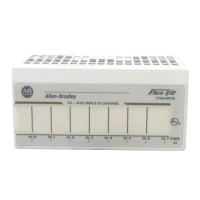
Do you have a question about the Allen-Bradley 1794-OF4I and is the answer not in the manual?
 General
| Manufacturer | Allen-Bradley |
|---|---|
| Module Type | Analog Output |
| Number of Outputs | 4 |
| Output Type | Current/Voltage |
| Resolution | 16-bit |
| Backplane Current | 100 mA |
| Current Output Range | 0…20 mA |
| Voltage Output Range | 0-10V |
| Isolation Voltage | 50V |
| Temperature Range | -20 to 60 °C |
| Relative Humidity | 5…95% noncondensing |
| Compatibility | 1794 Flex I/O system |
| Product Type | Flex I/O Analog Output Module |
Explains the communication process.
Covers wiring procedures for analog modules.
Explains block transfer instructions for module communication.
Details ladder logic rungs for module configuration.
Provides example programs for PLC-3 and PLC-5.
Explains how to set module features and parameters.
Describes how to select input/output ranges for modules.
Explains how data is mapped in the I/O image table.
Explains calibration necessity and methods.


 To Next Page