OPERATION INSTRUCTIONS
Turn on the power and check operation
of
fan.
Speed settings for warm
or
cool weather depend on
factors such as room size, ceiling height and number
of
fans.
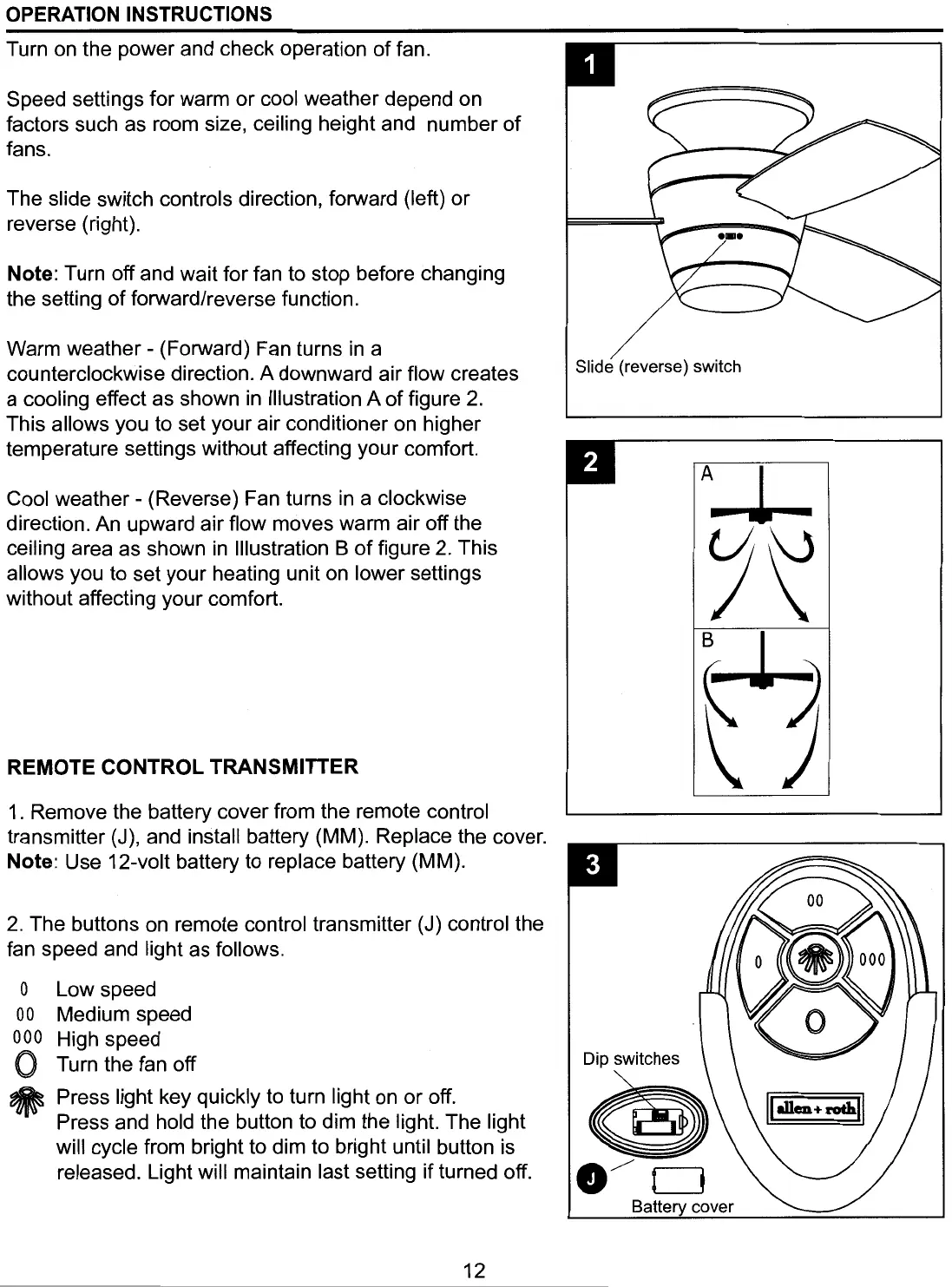
The slide switch controls direction, forward (left)
or
reverse (right).
Note: Turn off and wait for fan to stop before changing
the setting
of
forward/reverse function.
Warm
weather-
(Forward) Fan turns in a
counterclockwise direction. A downward air flow creates
a cooling effect as shown
in
Illustration A
of
figure 2.
This allows you to set your air conditioner on higher
temperature settings without affecting your comfort.
Cool
weather-
(Reverse) Fan turns in a clockwise
direction. An upward air flow moves warm air off the
ceiling area as shown in Illustration B
of
figure 2. This
allows you to set your heating unit on lower settings
without affecting your comfort.
REMOTE
CONTROL
TRANSMITTER
1 . Remove the battery cover from the remote control
transmitter (J), and install battery (MM). Replace the cover.
Note: Use 12-volt battery to replace battery (MM).
2.
The buttons on remote control transmitter (J) control the
fan speed and light as follows.
0
00
000
0
~
Low speed
Medium speed
High speed
Turn the fan off
Press light key quickly to turn light on
or
off.
Press and hold the button to dim the light. The light
will cycle from bright to dim to bright until button is
released. Light will maintain last setting
if
turned off.
12
Slide (reverse) switch
Batte cover





 To Next Page