11
Managing the menu
Using the menu
With the reader powered on, press the black button for over 3 seconds.
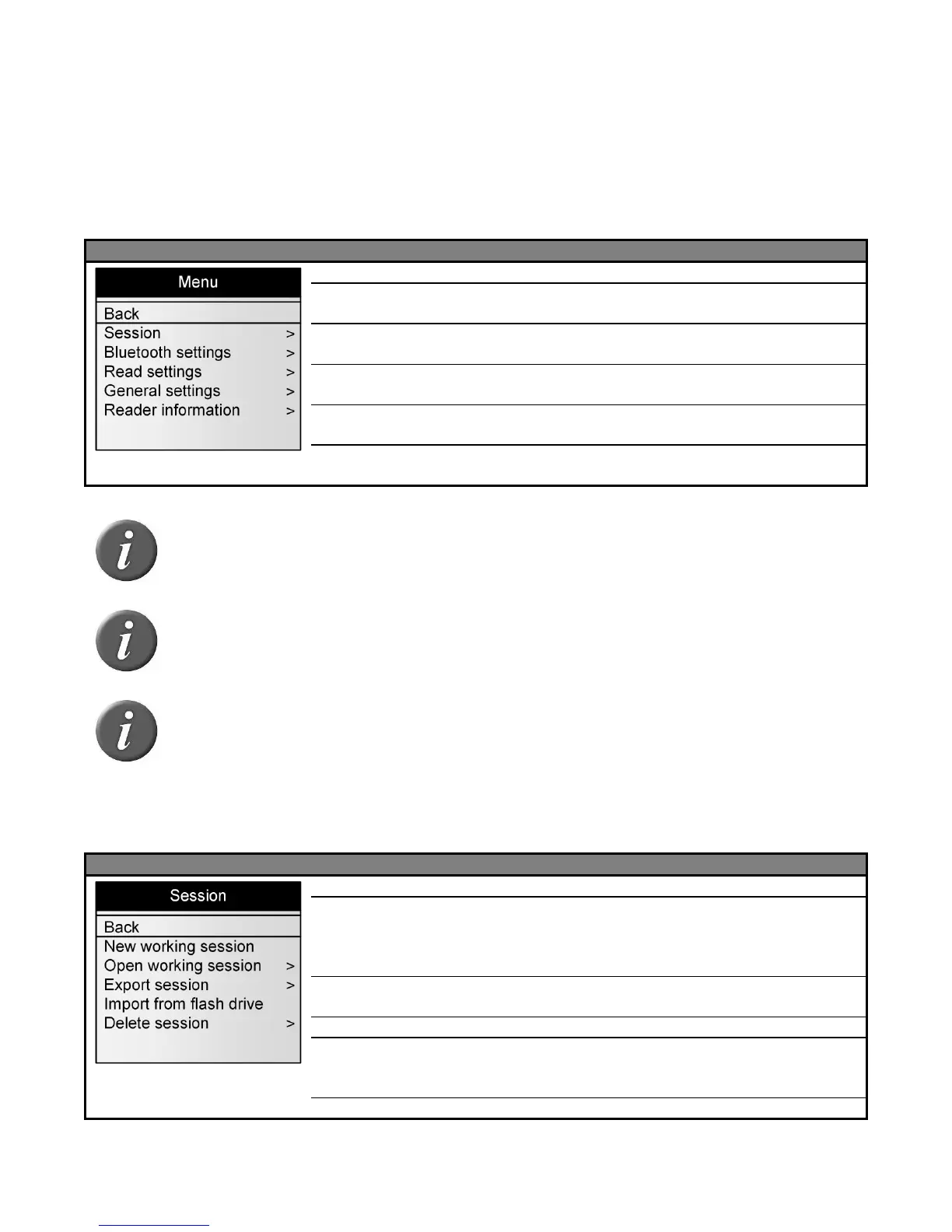
Menu 1 – Menu listed after pressing of the black button for over 3 seconds.
Return to the main screen
Enter into the session management sub-menu
(see Menu 2)
Enter into the Bluetooth management sub-menu
(see Menu 6)
Enter into the reading management sub-menu
(see Menu 8)
Enter into the device settings sub-menu (see
Menu 14).
Gives information about the reader (see Menu
17).
Note 15 – To enter into a sub-menu, move the horizontal lines by pressing the
green button and press the black button to select it.
Note 16 - The reader automatically closes the menu if no action occurs for 8
seconds.
Note 17 – The symbol is in front of the currently selected option.
Session management
Menu 2 - Menu “session”
Return to the previous screen
Create a new working session after validation by the
user. This new session becomes the current working
session and the previous one is closed. (See Note 20
about custom session names)
Select and open one of the stored sessions.
Enter into the export sub-menu. (see Menu 3)
Import sessions from flash drive (memory stick) and
store them into the reader flash memory. (refer to
“Connect the reader to an USB flash drive” section)
Enter into the delete sub-menu



 To Next Page