16
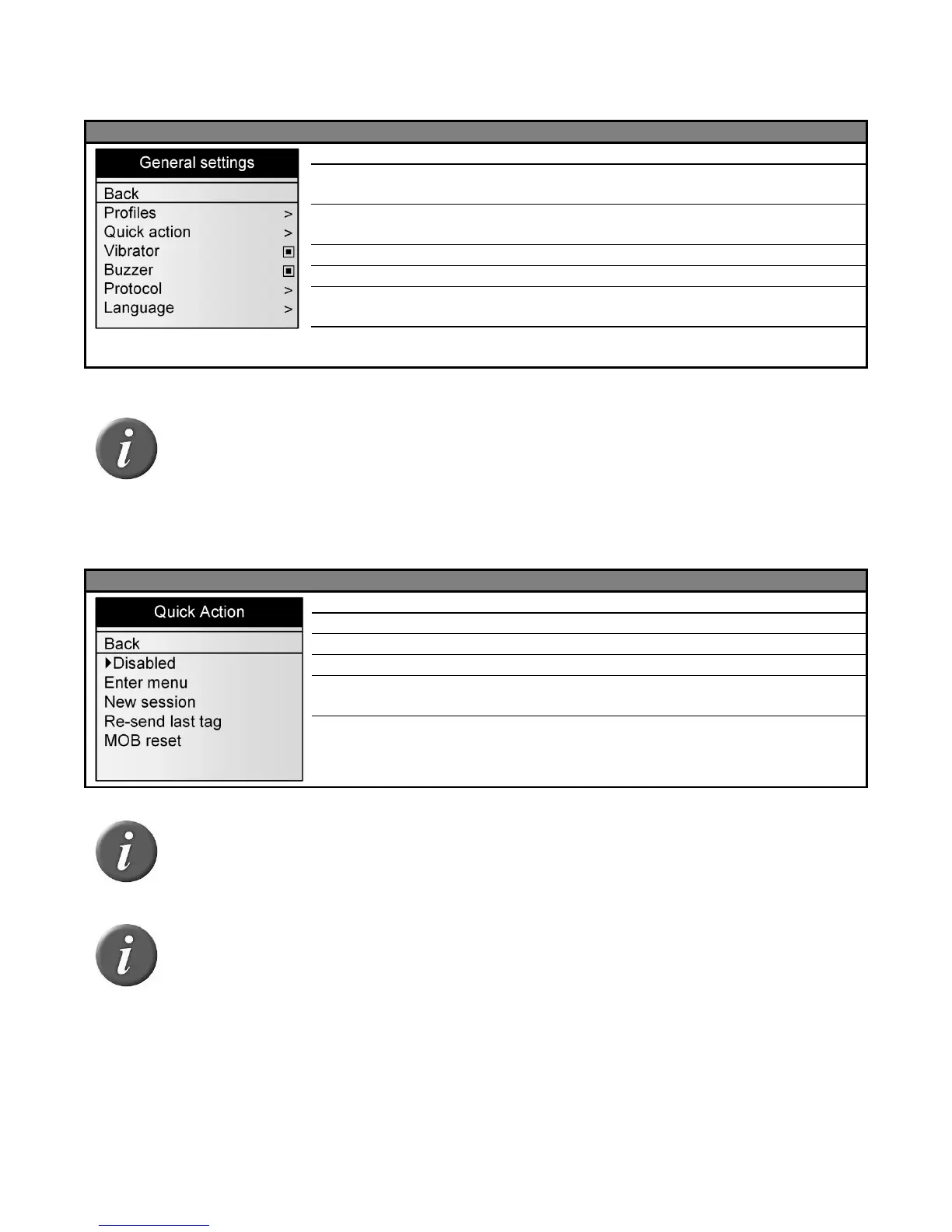
General settings
Menu 14 - Menu “general settings”
Return to the previous screen
Recall a profile saved in the reader. By default, the
factory settings can be reloaded.
Attribute a second feature to the black button (see Menu
15).
Enable / Disable vibrator (see Note 20)
Enable / Disable audible beeper (see Note 21)
Select the protocol used by the communication
interfaces (see Menu 16).
Select the language (English, French, Spanish or
Portuguese).
Note 25 – A profile is a complete set of settings (read mode, tag storage, Bluetooth
parameters…) corresponding to a use case. It can be created with EID Tag
Manager program and then recalled from the reader menu. The user can save up to
4 profiles.
Menu 15 - Menu “quick action”
Return to the previous screen
No feature attributed to the black button
Fast creation of a new session.
Last read tag is re-sent on all communication
interfaces (Serial, Bluetooth®, USB).
Reset the MOB counter when Session|MOB counter
type is selected (See Menu 12)
Note 26 – A quick action is a second feature attributed to the black button. The
reader performs the selected action after a short keystroke of the black button.
Note 27 – If the user holds the black button for over 3 seconds, the device displays
the menu and the quick action is not performed.



 To Next Page