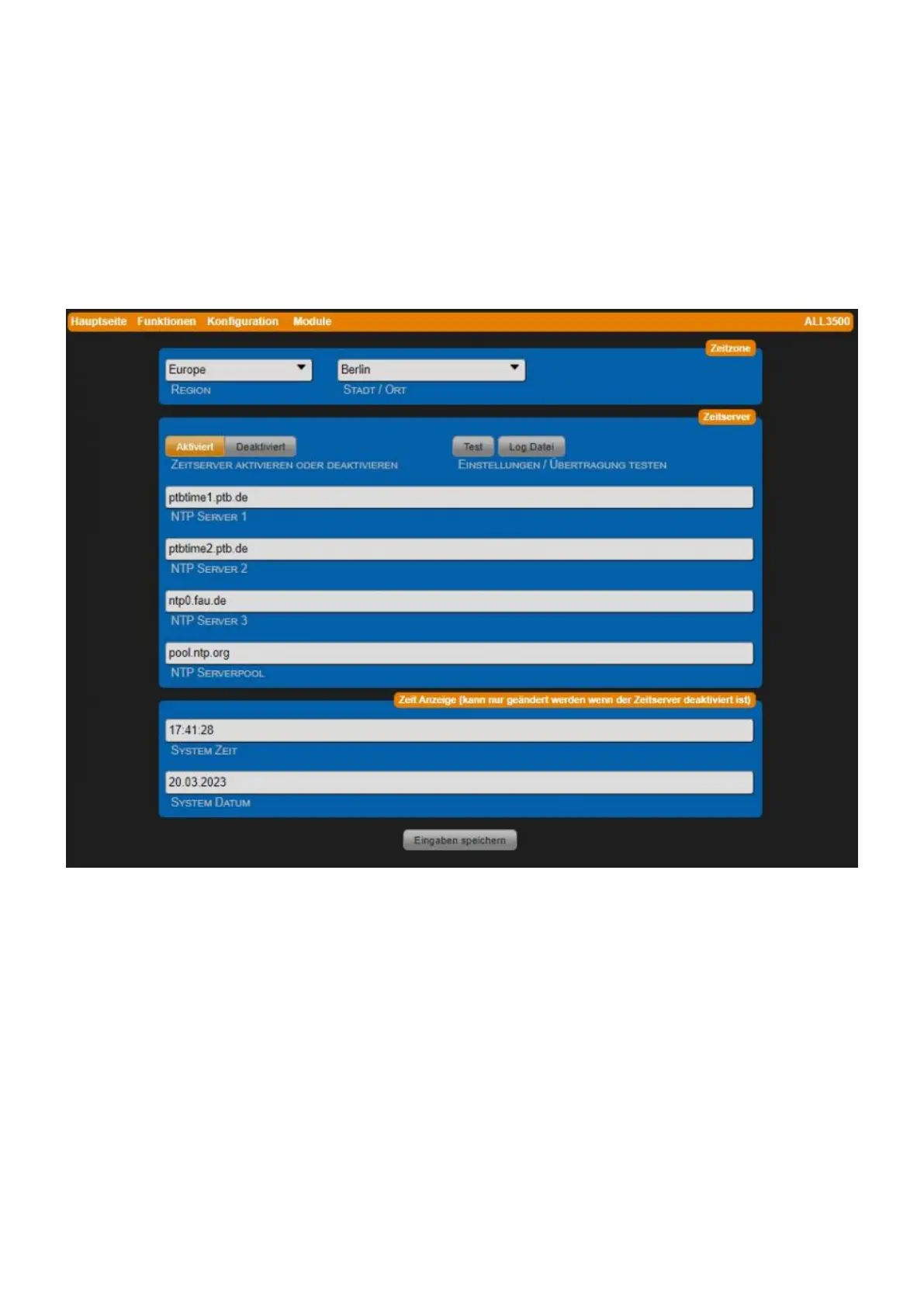
This port must be open from the firewall "stateful". A network-internal time server can also be used.
Under certain circumstances your router also works as an NTP server. This must then be entered
under "NTP Server 1".
For a correct time setting, the device must have a working Internet connection or access to an NTP
server!
! Note: The manual setting of the system time is basically not useful, since the device has no battery
buffer for the real-time clock, and therefore the system time is on the 01.01.1970 00:00 clock after
each restart. Please make sure that the time server is always accessible and set correctly.
The corresponding time zone is determined from the settings for region and city/place.
• Region Regions to choose from: Africa, America, Antarctica, Asia, Atlantic, Australia, Europe,
Indian, Pacific, All.
• City / O Place Selection of a city depending on region.
• Enable or disable time server Default = Enabled.
• NTP Server 1-3 Select possible time server. Alternatively set local time server (router) in first
place.
• NTP server pool Address of an NTP server pool, e.g. pool.ntp.org.
• System time Manual input of the system time is only possible if the time server is disabled.



 To Next Page