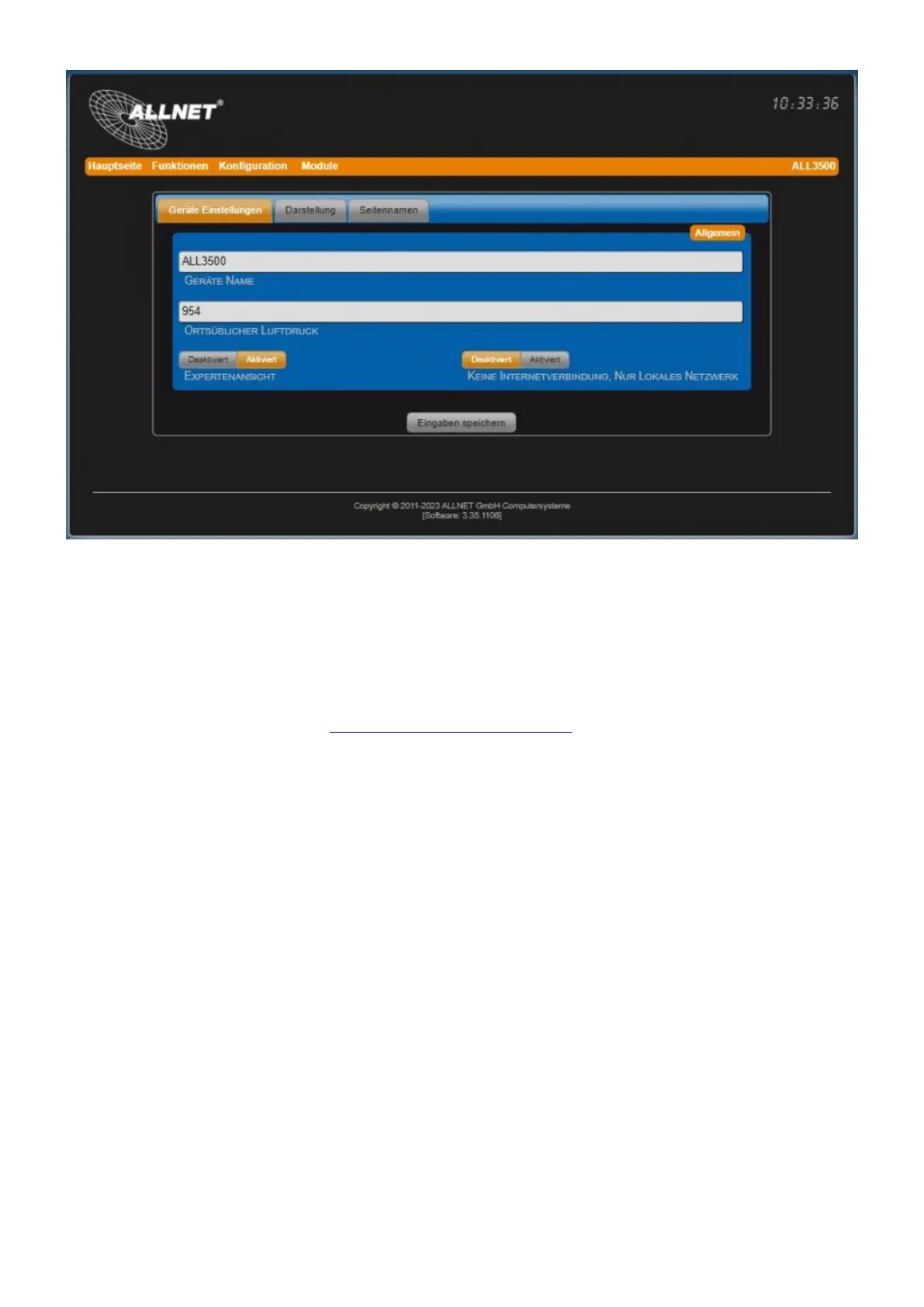
• Device name This name is displayed on all websites at the top right and in the OLED display next
to the IP address.
• Local air pressure The indication of local air pressure is necessary to correct the display values
of the pressure sensors. The sensors measure the air pressure absolutely, but the display is usually
in relative values. The local air pressure is influenced by the current altitude above normal zero (sea
height) and local differences. The local air pressure can be found at the relevant weather authority.
Further information on the topic: http://de.wikipedia.org/wiki/air pressure.
• Experts By activating the expert view, additional settings become visible that are not relevant for
most users.
• No Internet connection, only local network Enable this setting if it is not possible to reach the
Internet for the ALL34119/3500/3697/3692 etc. when starting for security reasons. The settings for
the NTP server must then refer to a local NTP server (see date and time). The automatic update
service is disabled.
Display tab
Settings under "Configuration" > "Device Settings". All settings concerning the display and behavior
of the device can be adjusted.
Note! All settings in the Display tab affect all sensors and actuators in this device. As soon as you
click on the "Apply" button, the respective setting is applied to all sensors and actuators. This
overwrites the setting, which can normally be done individually for each sensor/actor!



 To Next Page