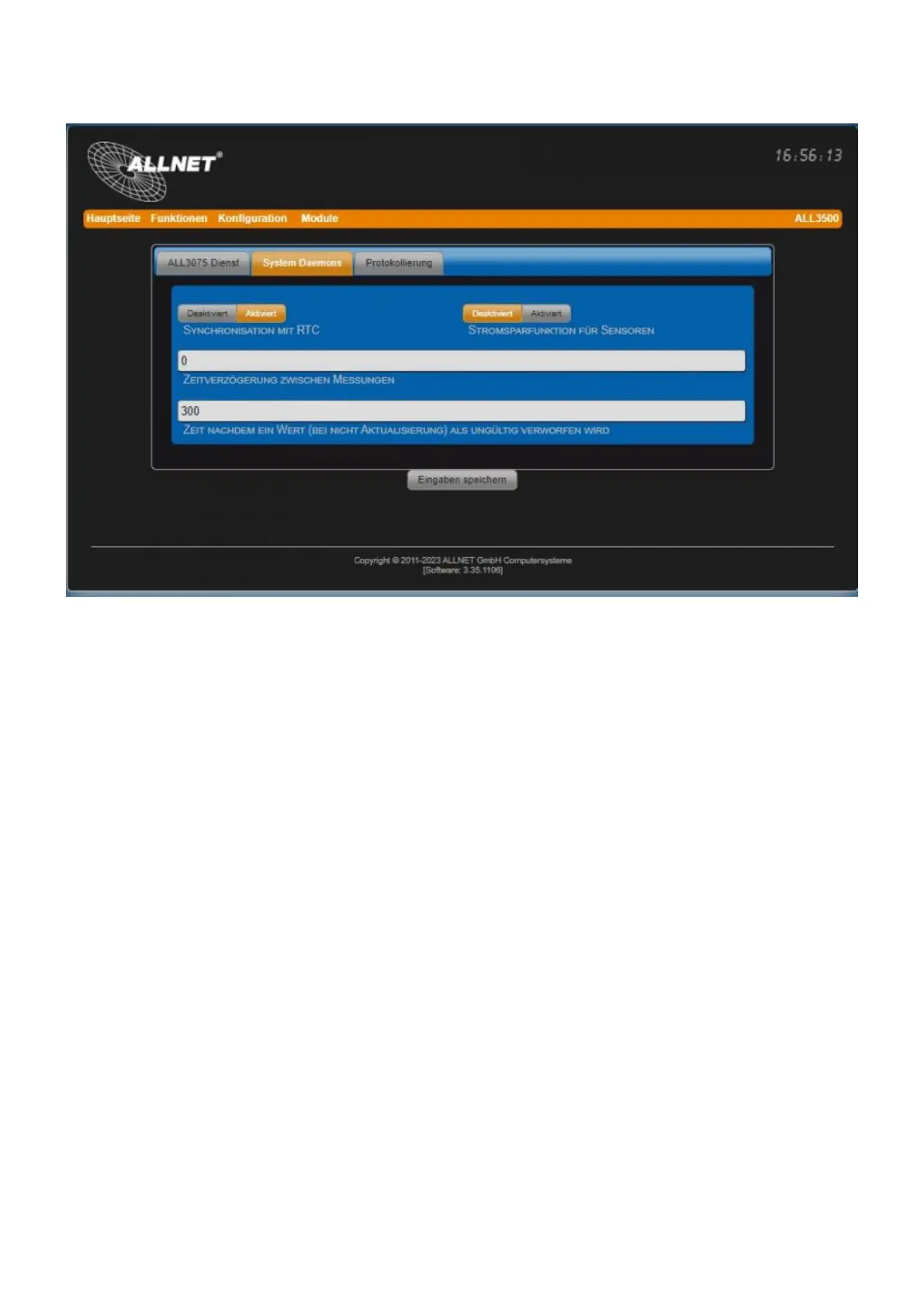
System Daemons
• Synchronization with RTC Synchronization with Real Time Clock. The sensors are queried at every
full second. Disabled: The sensors are queried continuously (not recommended due to higher system
load and self-heating e.g. of temperature sensors). Default = Enabled.
• Time delay between measurements Default = 0 seconds. Time delay between two subsequent
measurements.
• Time after a value (...) is discarded as invalid Default = 300 seconds. Time after a value (in case of
non-update) is discarded as invalid. Example: if values are imported from an external device, it may
happen that this device may no longer be accessible. In order to prevent its measured values from
being displayed further, a false security can be suggested, these can be set to "Invalid" after a time
definable with this parameter. This can be evaluated and displayed in the web surface, e.g. by
changing the color of the sensor tile.
• Power saving function for sensors Default = Disabled. For the use of the device in conjunction with
a battery can be reduced by activating the power consumption.
• Rest time (only if the power saving function is activated)Default = 60 seconds. In this setting, the
sensors are supplied with current every 60 seconds for a short period of time for the measurement
period. This value should be significantly smaller than the value for discarding unupdated values
(see parameter "Time after a value (...) is discarded as invalid").
• Wake-up time (only with activated power saving function)Default = 3 seconds. Depending on the
type of sensors, it may be necessary to set this time longer.
Logging



 To Next Page