6x Installation Guide
6 Accessories (Optional)
Note: A stereo splitter (not included) is required to use both Music-On-Hold and Overhead Paging together.
6.1 Music-On-Hold
Connect the output from your music system to the server using a 3.5mm stereo plug line-in audio adapter
cable. Insert the male cable end into the audio connector labeled Audio on the rear panel (See Figure 2 item
15).
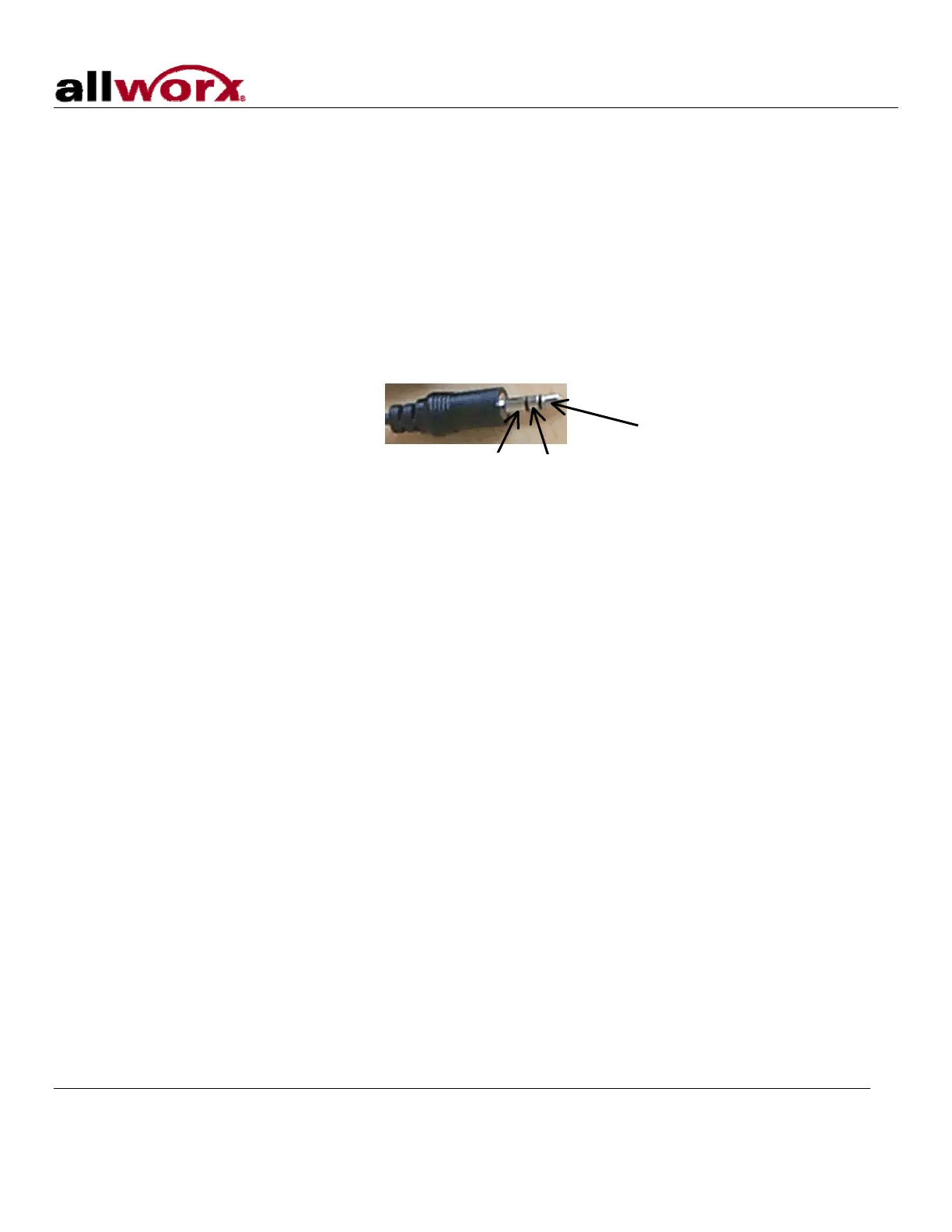
Note: Only the white audio channel is used for music input. Red channel is for paging output (see Figure 4).
Figure 4: Audio Plug Diagram
Line Out
Line In
GND
6.2 Overhead Paging
Connect the server to the input of your paging system using a 3.5mm stereo plug audio cable. Insert the male
cable end into the audio connector labeled Audio on the rear panel (See Figure 2 item 15). Only the red audio
channel is used.
Note: Only the red audio channel is used for paging output. White channel is for hold input (see Figure 4).
6.3 USB External Hard Drive
To install a USB External Hard Drive:
1. Plug the USB data cable from the external hard drive into the USB port on the server and power on the
USB drive. (See Figure 2 item 9).
2. Restart the server into Safe Mode.
3. In Safe Mode select Convert under Disk Operations.
4. Once the conversion is complete, power down the server.
5. Remove the Compact Flash.
6. Power on the system. Your hard drive should now be ready to use.
Note: Must use USB 2.0 based IDE hard drive directly plugged into unit (do not use with hub).
6.4 Compact Flash Cards
Unit comes pre-installed with a 256MB flash card. This card provides for approximately 425 minutes of
voicemail storage. If more space is desired, use the USB External Hard Drive option (see section 6.3) or
300 Main Street • East Rochester, NY 14445 • Toll Free 1-866-ALLWORX • 585-421-3850 • www.allworx.com
© 2007 Allworx Corp. All rights reserved. Allworx is a registered trademark of Allworx Corp. All other names may be trademarks or registered
trademarks of their respective owners.
Revised: December 27, 2007
Page 7



 To Next Page