Allworx
®
Verge™ IP Phone Series User Guide
Page 22 866.ALLWORX * +1 585 421 3850
www.allworx.com
Version: T Revised: February 14, 2019
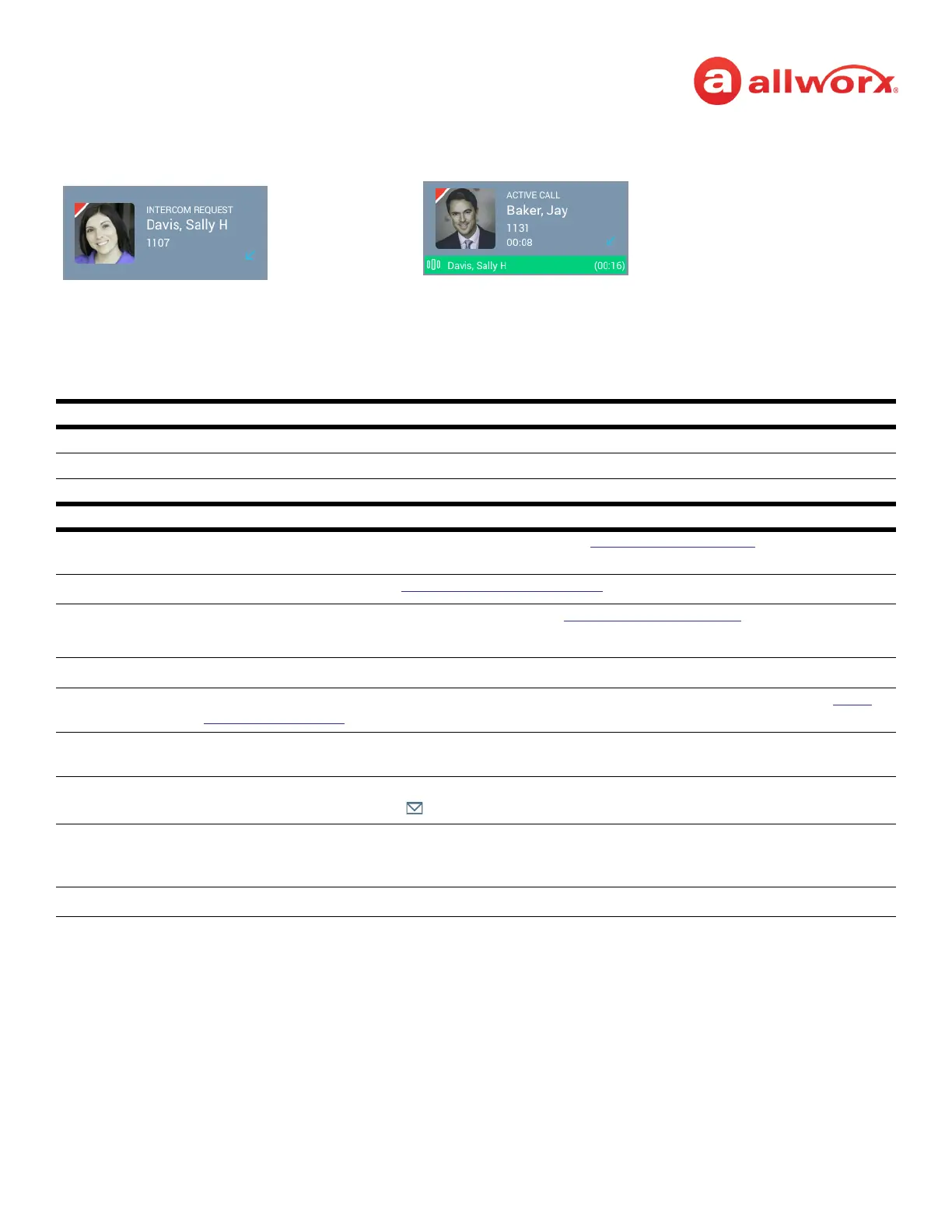
Verge IP phone Intercom Call example:
Intercom Function Programmable Button LED
solid green active call.
flashing green intercom call on hold.
flashing green/red transferring Intercom call or creating a conference call.
Soft Keys Available
Park
1
places the call on the lowest available parking orbit. See “Park a Call” on page 24 for more
information.
Conference
1
create a conference call. See “Conference Call” on page 35 for more information.
Handoff transition the call to a Reach device (if available). See “Call Handoff” on page 41 for more information.
NOTE: The Verge 9304 IP phone does not support the Call Handoff feature.
Dismiss
1
available if the other party hangs up first. Returns to the Verge IP phone Idle screen.
Add Contact
1
opens the phone screen to add a new contact (available for callers not in the Contacts). See “Add
Contact” on page 49 for more information.
Park Active available during an active call when there is a second, incoming call. This places the first caller in to a
Parking Orbit to enable answering the second call.
To VM sends the incoming call directly to voicemail (only available for: Call Appearance, Intercom, and ACD
Appearance). The Messages () function button lights red if the caller leaves a message.
Ignore ends the ringing, and the phone screen does not display the incoming call information. The
Appearance programmable button LED continues to flash until the call is answered or the call goes to
the next step in the call route.
1
Available after the Intercom call is answered.
Call Status Area
• Contact image/Allworx user badge
• Call Status (INTERCOM REQUEST -> ACTIVE CALL)
• Caller or Contact ID name/number
• Call status icon
Active Call / Intercom Call On Hold
Incoming Intercom Call
Call Status Area
• Contact image/Allworx user badge
• Call Status (ACTIVE CALL)
• Caller or Contact ID name/number
• Call status icon
• Intercom call on Hold indicator (green stripe with call information)



 To Next Page