Allworx
®
Verge™ IP Phone Series User Guide
Page 40 866.ALLWORX * +1 585 421 3850
www.allworx.com
Version: T Revised: February 14, 2019
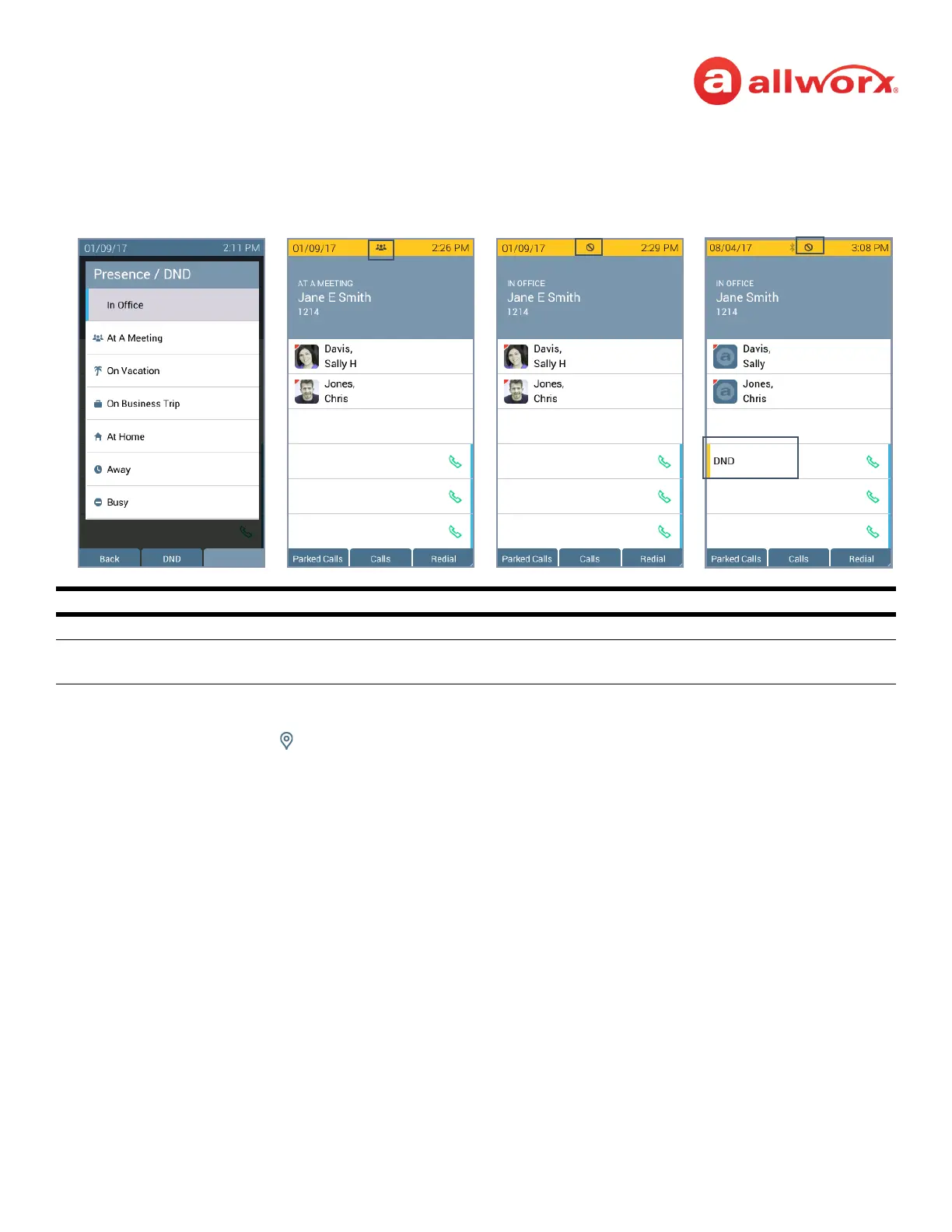
Verge IP phone screen Presence and DND examples:
To manage the Presence or DND setting:
1. Press the Presence ( ) function button.
2. Do one of the following:
• Use the up/down navigation buttons to highlight the new Presence state, and then press
the Select button to accept the change.
• Press the DND/End DND soft key. The DND turns on or off, respectively.
The Phone Status area changes to yellow and displays the appropriate icons
Soft Keys
Back soft key return to the previous screen.
DND or End DND
Soft key
activate or de-activate the DND setting.
Presence icon
DND active icon
Set Presence/DND Screen
Phone Status Yellow Background - User Unavailable
DND programmable
button active



 To Next Page