Allworx
®
Verge™ IP Phone Series User Guide
Page 48 866.ALLWORX * +1 585 421 3850
www.allworx.com
Version: T Revised: February 14, 2019
To manage contacts:
Settings available:
• add a new Personal Contact
• set contact favorite status
• select the preferred contact number (for personal contacts with more than one phone number)
• update the Allworx Personal Contact information (Allworx Personal Contacts only)
1. Press the Contacts ( ) function button. If necessary, enter the Extension and PIN information and
press the Done soft key. The Contact listing screen displays.
2. Do one of the following:
• Use the up/down navigation buttons to locate the contact listing, and then press the
Select button. The Contact Details screen displays. To filter the contacts, press the More
( ) function button, and then the Groups soft key to select the contacts types to display.
• Use the keypad to enter search criteria. The digits entered display in the header (right
side) and the Verge IP phone displays the contacts matching the number and all
associated letters with the pressed key.
Press the left navigation arrow to delete the last entered digit. To recover the full list of
contacts, delete all of the digits entered.
• Press the Add Contact soft key to add a Personal Contact.
Contacts Programmable Button LED
off Contact is idle and does not have DND active (Allworx User only).
solid amber Contact is idle and has DND active (Allworx User only).
flashes red Contact has an incoming call (Allworx User only).
solid red Contact is on the phone (Allworx User only).
Note:
The Contact PFK for Allworx users does not provide user status or presence status on phones connected
to the 6x, 6x12, or 48x server. To monitor the phone status, use a BLF PFK instead.
Note:
Each Allworx user can add a contact image associated with their contact information using the Reach
application (with or without a handset license) or the Interact Professional application.
Note:
The Allworx Server Administrator can control the user permissions to manage their directory contact
image.
Note:
The Allworx Server Administrator can delete an Allworx User’s directory contact image.
Note:
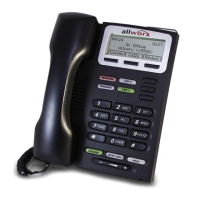
The Verge 9304 IP Phone fully supports Allworx User, System, and Public contacts while having limited
Personal Contact support. Allworx Users can add up to 100 Allworx Personal Contacts on the Verge 9304
IP phone, which are only available on that phone - not with other Allworx phones and applications.



 To Next Page