49
ENGLISHENGLISH
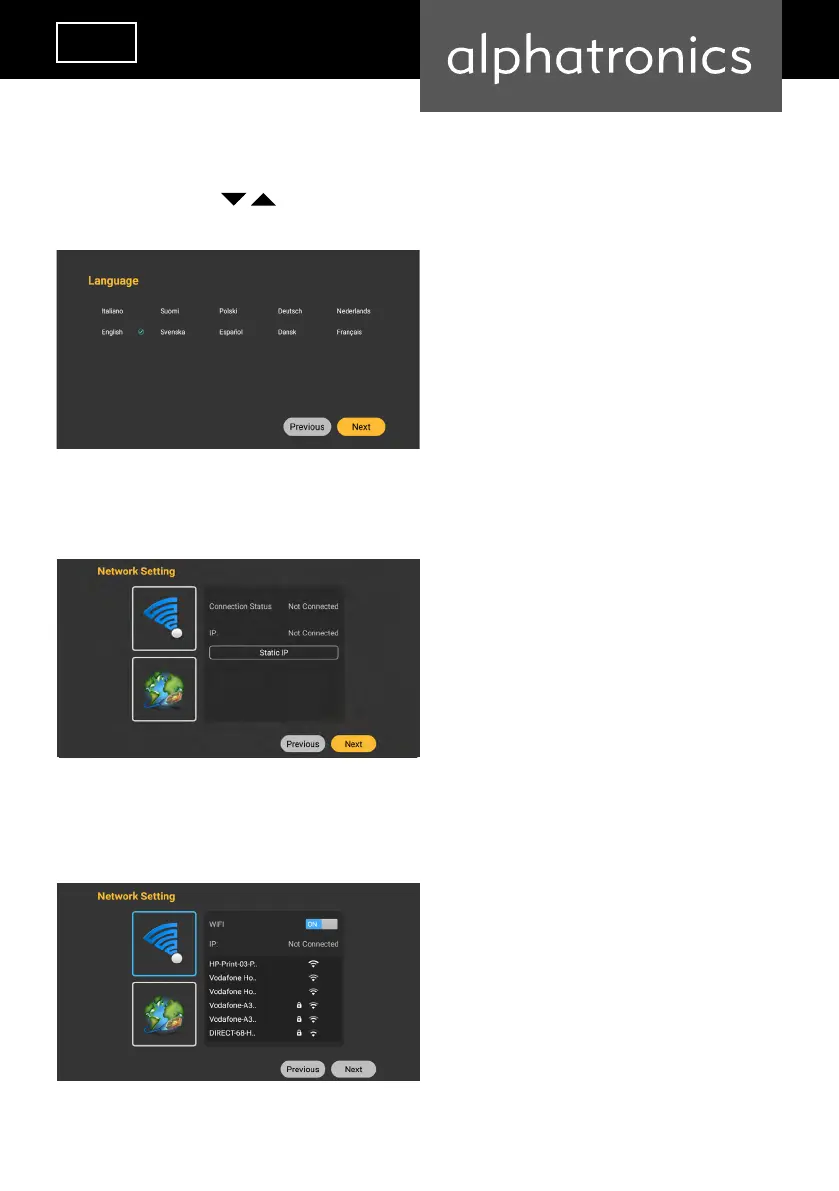
Step 1
Use the arrow keys to select the language you want. Press the „Enter“ button to
conrm the language and then the „Enter“ button to the next step. .
Step 2
Select your network connection (LAN / Wi-Fi). Press „Enter“ to move to the next step.
Step 3
Press „Enter“ to move to the next step. If you have selected Wi-Fi, a keyboard will appear to
enter the router password. (Enter numbers 0-9 directly via the remote control).


 To Next Page