66
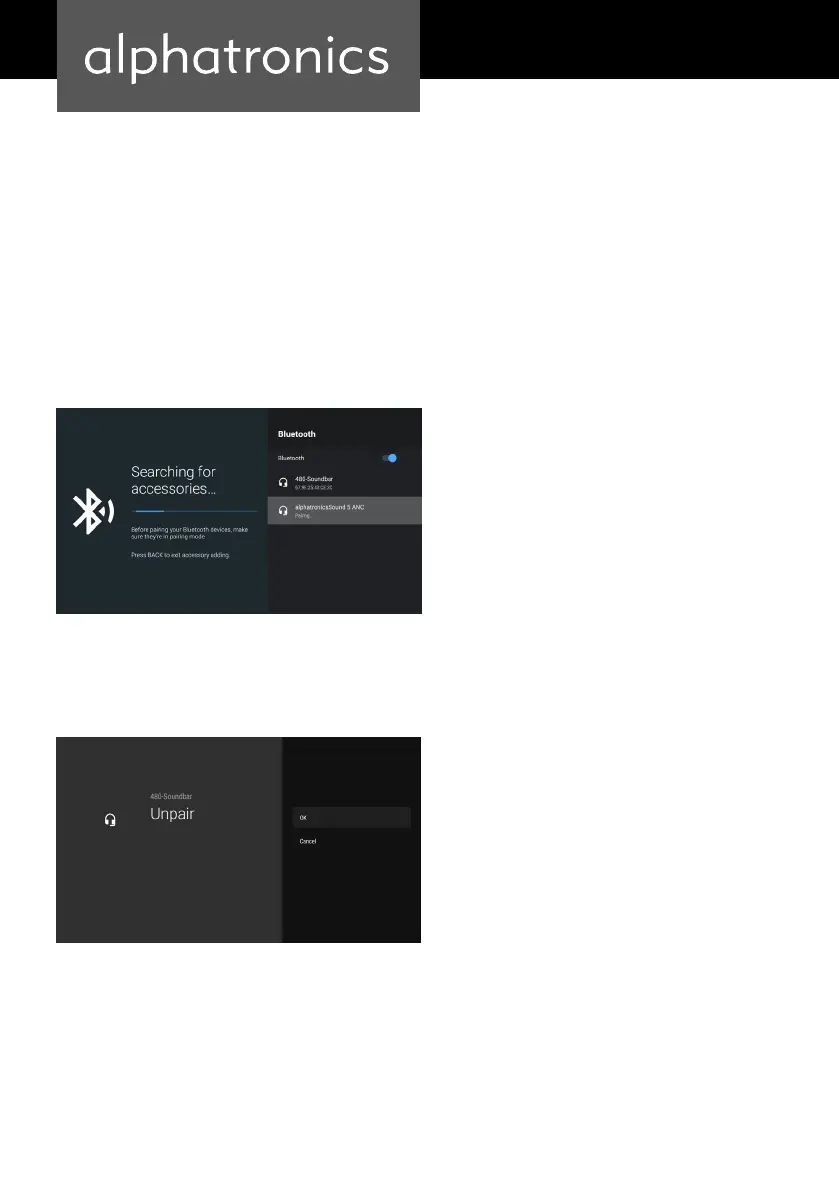
NOTE: The Bluetooth function must be switched on, on the external device. When the TV has
found the external device, it shows them with their device-names.
Step 4
Now connect the external device by pressing the „Enter“ button. When the connection is
established, the status „Connected“ appears.
To disconnect, select the external device and press the „Enter“ button. Then select Unpair and
press the „Enter“ button to disconnect.


 To Next Page