EasyManua.ls Logo

Alpine 3555 - Switch Settings and Adjustments; Input Mode Selector Settings; Active Dividing Network Low-Pass Setting

Alpine 3555
18 pages
Print Icon
To Next Page IconTo Next Page
To Previous Page IconTo Previous Page
Loading...
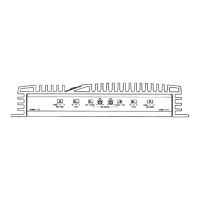
SWITCH
SETTINGS
Input
Mode
Selector
Switches
©
and
@
The
switch
modes
shown
are
for
CH1/2.
Same
explanations
apply
to
mode
selection
for
CH3/4.
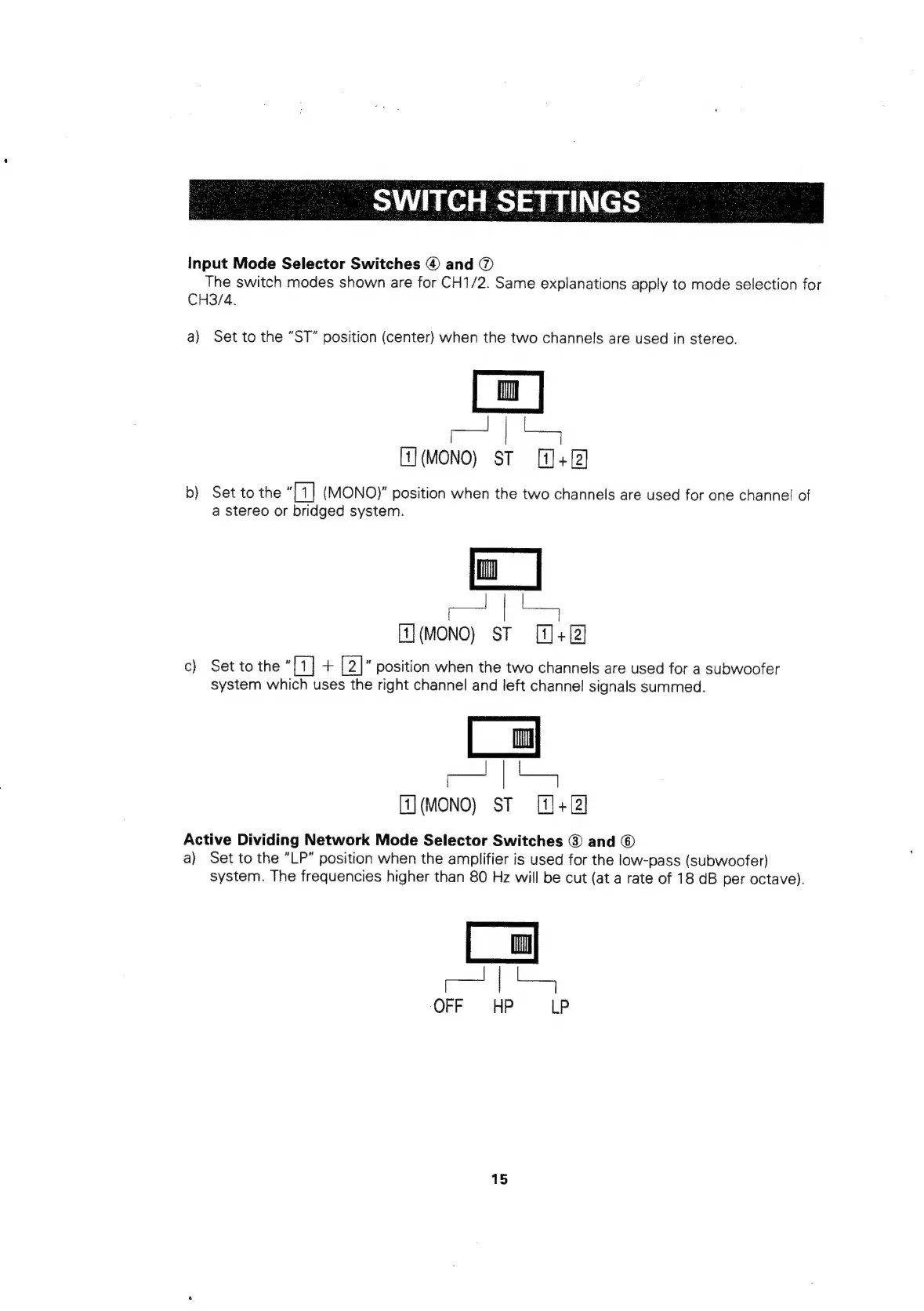
a)
Set
to
the
“ST”
position
(center)
when
the
two
channels
are
used
in
stereo.
(MONO)
ST
[J+
b)
Set
to
the
“Tt
(MONO)"
position
when
the
two
channels
are
used
for
one
channel
of
a
stereo
or
bridged
system.
[1](MONO)
ST
[1]+[2]
c)
Set
to
the
“[1]
+
[2]”
position
when
the
two
channels
are
used
for
a
subwoofer
system
which
uses
the
right
channel
and
left
channel
signals
summed.
(MONO)
ST
[]+
Active
Dividing
Network
Mode
Selector
Switches
@
and
©
a)
Set
to
the
“LP”
position
when
the
amplifier
is
used
for
the
low-pass
(subwoofer)
system.
The
frequencies
higher
than
80
Hz
will
be
cut
(at
a
rate
of
18
dB
per
octave).
TS
OFF
HP
ie
15

Related product manuals