EasyManua.ls Logo

Alpine CD Shuttle Controller 7292MS - Page 10

Alpine CD Shuttle Controller 7292MS
19 pages
Print Icon
To Next Page IconTo Next Page
To Previous Page IconTo Previous Page
Loading...
@
RADIO
OPERATION
MANUAL
and
AUTOMATIC
SEEK
TUNING
The
radio
does
not
operate
in
the
tape
play
mode.
To
listen
to
the
radio,
press
the
TUNER
button
@).
1.
Turn
the
power
on
by
turning
the
Power
switch
@9
clockwise.
Continue
to
rotate
it
until
the
desired
volume
level
is
reached.
2.
Press
the
TUNER
button
to
activate
the
radio
mode.
3.
Press
the
TUNER
button
@
to
select
the
band
(MW,
LW,
FM1,
FM2).
The
Radio
Band
indicator
@?
will
be
on,
and
the
ST
(stereo)
indicator
80
will
also
be
on
during
FM
stereo
reception.
4.
Adjust
the
BASS
@,
TREBle
@,
BALance
89,
and
FADer
controls
to
their
center
positions.
5.
To
automatically
tune,
press
the
TUNE
switch
89
until
the
SEEK
indicator
@
is
displayed.
Press
the
UP
@
or
DN
@
button
and
the
frequency
changes
to
the
next
receivable
station.
Repeat
the
procedure
unti!
your
desired
station
is
obtained.
When
the
radio
reaches
the
upper
or
lower
end
of
the
band,
it
automatically
starts
scanning
from
the
opposite
end.
To
return
to
manual
tuning,
press
the
TUNE
switch
@
a
second
time
(the
SEEK
indicator
@8
disappears).
6.
To
manually
tune,
press
the
Tuning
UP
button
@
for
higher
frequency
broadcasts,
and
press
the
Tuning
DN
button
©
for
lower
frequency
broadcasts.
7.
Adjust
the
VOLume
89,
BASS
@,
TREBle
@,
BALance
@9,
and
FADer
@
controls
to
suit
your
listening
preference.
8.
To
switch
from
FM
to
MW/LW
or
vice
versa,
press
the
TUNER/BAND
button
Band
Selector
Button
Press
the
BAND
button
@
to
select
the
desired
tuning
band.
The
Band
indicator
@
shows
your
selection.
Local/Distance
(DX)
Sensitivity
Switching
for
FM,
MW
and
LW
You
can
select
the
radio
SEEK
sensitivity
(local
or
distance
(DX))
by
pressing
the
DX
switch
88
for
more
than
two
seconds.
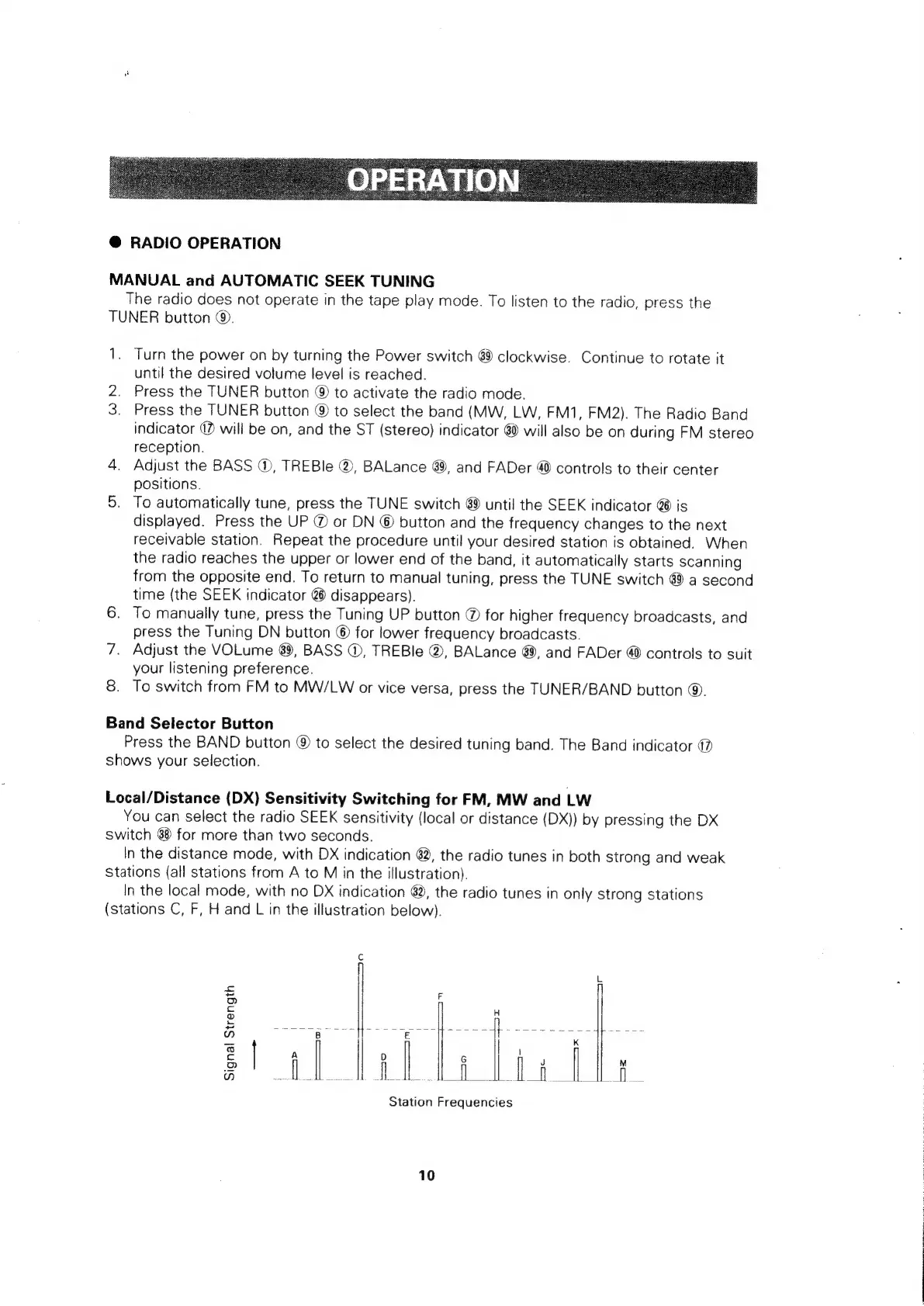
In
the
distance
mode,
with
DX
indication
82,
the
radio
tunes
in
both
strong
and
weak
Stations
(all
stations
from
A
to
M
in
the
illustration).
In
the
local
mode,
with
no
DX
indication
@,
the
radio
tunes
in
only
strong
stations
(stations
C,
F,
H
and
L
in
the
illustration
below).
a
Signal
Strength
ie»)
m
Station
Frequencies
10

Related product manuals