21
Operación de la
radio
Réception
radio
English
Radio Operation
1
Automatic Seek Tuning
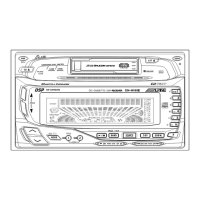
Press the SOURCE button to select the mode.
(* Only with the CD shuttle connected.)
Press the BAND button repeatedly until the
desired radio band is displayed.
When the Function mode is ON*, press the
(TUNE) button to illuminate the DX indicator in
the display. With the DX mode activated, both
strong and weak stations will be tuned auto-
matically.
Press again to return to the local mode. The DX
indicator will turn off and only strong stations
will be tuned.
* Refer to "Using the Function button" on page
17.
Press the
c
DN or UP
f
button to automati-
cally seek a station downward or upward
respectively.
The unit will stop at the next station it finds.
Press the same button again to seek next
station.
2
3
FM1
FM2
AM
DX SEEK
SEEK
4
TUNER
CD CHANGER
TAPE
*
CD


 To Next Page








