40
English
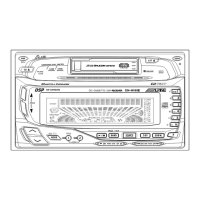
CD Shuttle Operation
Operation of CD Shuttle
(Option)
If an Ai-NET applicable CD Shuttle made by
ALPINE is connected, this unit can operate the
CD Shuttle.
Press the SOURCE button to switch to the CD
changer mode.
The mode changes every time the button is
pressed.
(*Only when the CD shuttle is connected)
Press either the
9
DN button or the UP
8
button to select the disc set in the CD changer.
The selected disc no. will be displayed.
Pressing the function buttons will allow direct
selection of discs (see page 17).
Lightly press the
c
DN button or UP
f
button
to specify the track number.
Note: RPT and M.I.X. features can be used
when using the function buttons. For
details, see Using the Function Buttons
(page 17).
1
2
TUNER
CD CHANGER
TAPE
*
CD
3


 To Next Page








