16-EN
Playback
1
Insert a disc with the label side facing up.
To load discs, see “Loading and Unloading Discs” on
page 10.
Playback starts.
2
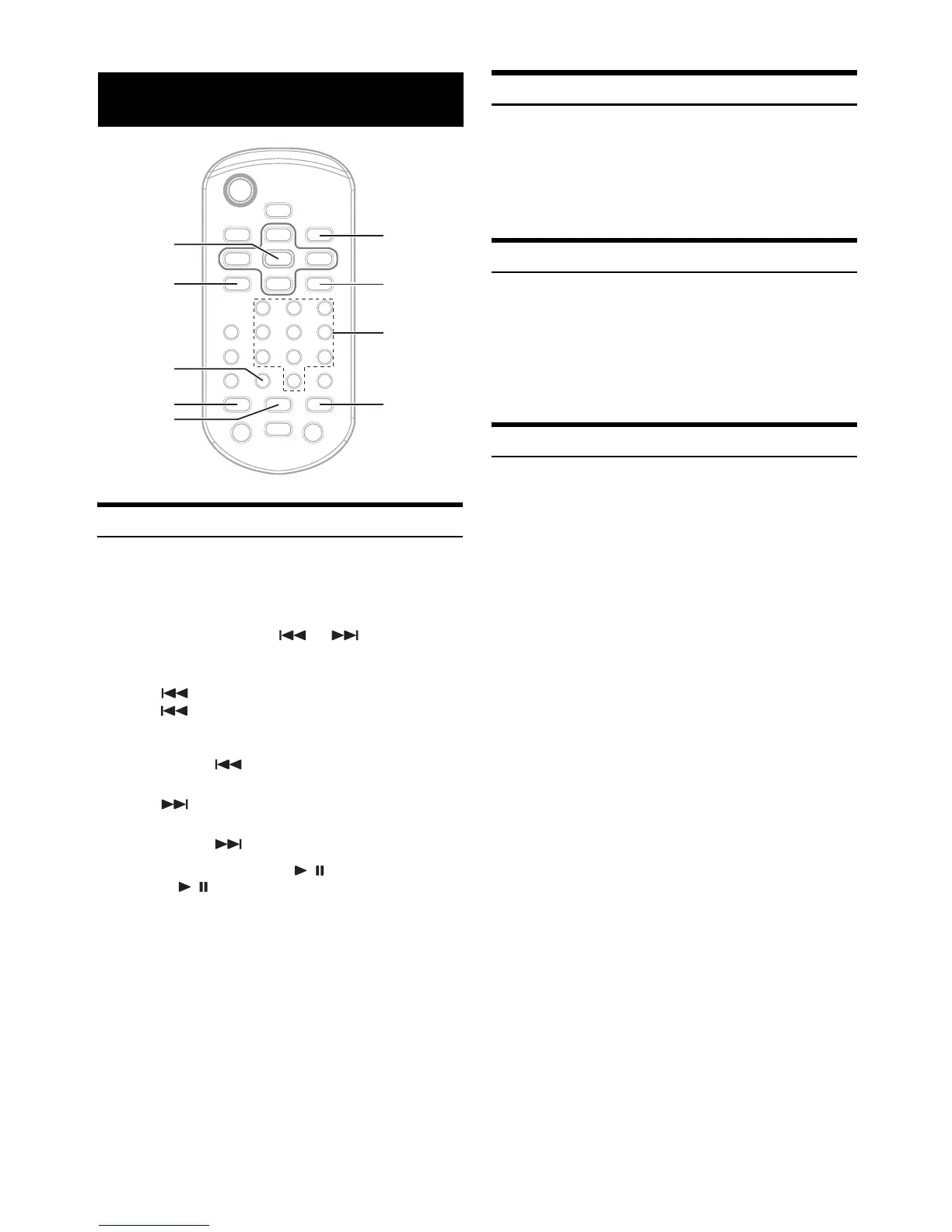
During playback, press or to select the
desired track.
Returning to the beginning of the current track :
Press .
Press repeatedly to start playback from the beginning
of a previous track.
Fast backward :
Press and hold .
Advancing to the beginning of the next track :
Press .
Fast forward :
Press and hold .
3
To pause playback, press / .
Pressing / again will resume playback.
• CD playback information (track no., TEXT etc.) will be displayed on
the monitor during playback.
M.I.X. (Random Play)
Press M.I.X. in the play or pause mode.
The tracks on the disc will be played back in random sequence.
To cancel M.I.X. play, press M.I.X. again.
• If the M.I.X. mode is activated during Repeat playback, the Repeat
Play mode will be canceled.
Repeat Play
Press REPEAT to play back repeatedly the track being
played.
The track will be played repeatedly.
Press REPEAT again and select OFF to deactivate repeat play.
• If the Repeat Play mode is activated during M.I.X. playback, the
M.I.X. mode will be canceled.
Searching Directly by Track Number
Use this function to easily move to the beginning of the tracks on the
disc.
1
Input the number of track you desire by using the
number keys (“0” to “9”).
2
Press ENT.
Playback starts from the selected track.
• Depending on the number of digits input, playback may start
automatically even if ENT. is not pressed in step 2.
• Press CLR to delete the last digit in the track number.
Press and hold CLR for at least 2 seconds to clear “Track” numbers.
• Press RETURN to cancel the track search mode and resume normal
playback.
CD
RETURN
Number
keys
(0 to 9)
ENT.
REPEAT
CLR
a
d
M.I.X.





 To Next Page